
AI agent · MCP · Next release
What an AI agent can do on a TV
Real tools, chained into real jobs.
Next release
Only basic mouse mode is in the current release. That means the accessibility service, double-press OK to toggle, and pointer movement, click, drag and scroll. Hotkeys, the ADB assist mode, Web Input, live translation and the whole MCP server are finished but arrive with the next VxMouse update. Pages and sections marked Next release describe those.
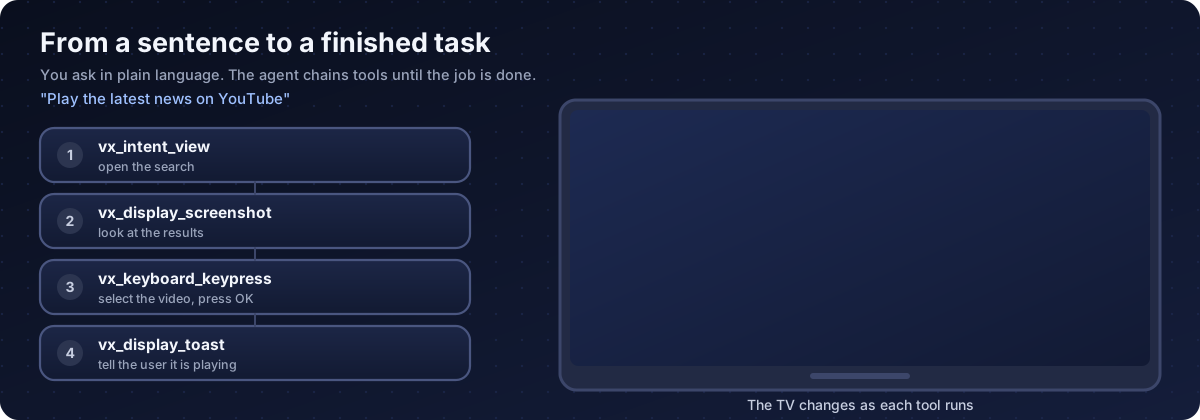
These examples show which tools an agent would chain for a job. The agent decides the order itself from what it sees.
| You ask | Tools the agent uses |
|---|---|
| Play the latest news on YouTube | vx_intent_view to open the search, vx_display_screenshot to look, vx_keyboard_keypress to select, vx_display_toast to confirm |
| Open the weather app and tell me what it says | vx_apps_list, vx_apps_launch, vx_accessibility_snapshot to read the text |
| Every night at 23:00 turn the screen off | vx_schedule with a repeating task calling vx_system_power_sleep |
| Show this Japanese news in English | vx_apps_launch, then vx_translation start from Japanese to English |
| Put this APK on the TV and install it | vx_fs_upload, then vx_apps_install |
| Which apps can use the microphone? | vx_system_apps_by_permission |
| What is using the memory? | vx_process_list |
| Turn it down and mute | vx_system_audio_control |
| Is the signage screen alive? | vx_system_power_is_screen_on and a screenshot |
| Tell the room the meeting starts at 3 | vx_display_toast on a schedule |
For developers
- Build your own agent in any language over plain WebSocket.
- Use schedules for monitoring and signage tasks that continue without a chat.
- Combine the element tree and screenshots to build your own test or QA automation for TV apps.
- The same tools work on phones and tablets through ADB touch.
For households
- Hands-free help for people who struggle with a remote: an assistant that finds a programme and starts it.
- Remote support: forward the port over a secure link and help a relative from afar.
Get VxMouse
VxMouse is distributed to supporters on Patreon and can be installed with GTV-toolkit on Windows.