Mouse mode
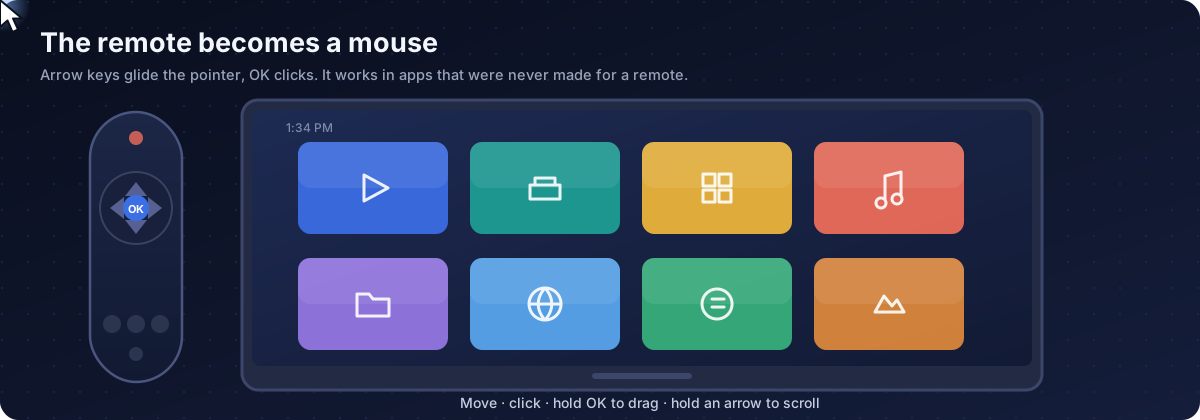
Use the arrow keys as a mouse in any Android TV or Google TV app.
The basics on this page work today: accessibility service, double-press OK, pointer, click, drag and scroll. Sections marked Next release (hotkeys, ADB assist mode, Web Input) arrive with the next update.
The basics on this page work today: accessibility service, double-press OK, pointer, click, drag and scroll. Sections marked Next release (hotkeys, ADB assist mode, Web Input) arrive with the next update.
Many apps were built for touch, not for a remote. On a TV they trap the focus or have buttons the arrow keys never reach. VxMouse draws a pointer over everything and lets the remote drive it.
Set it up Current release
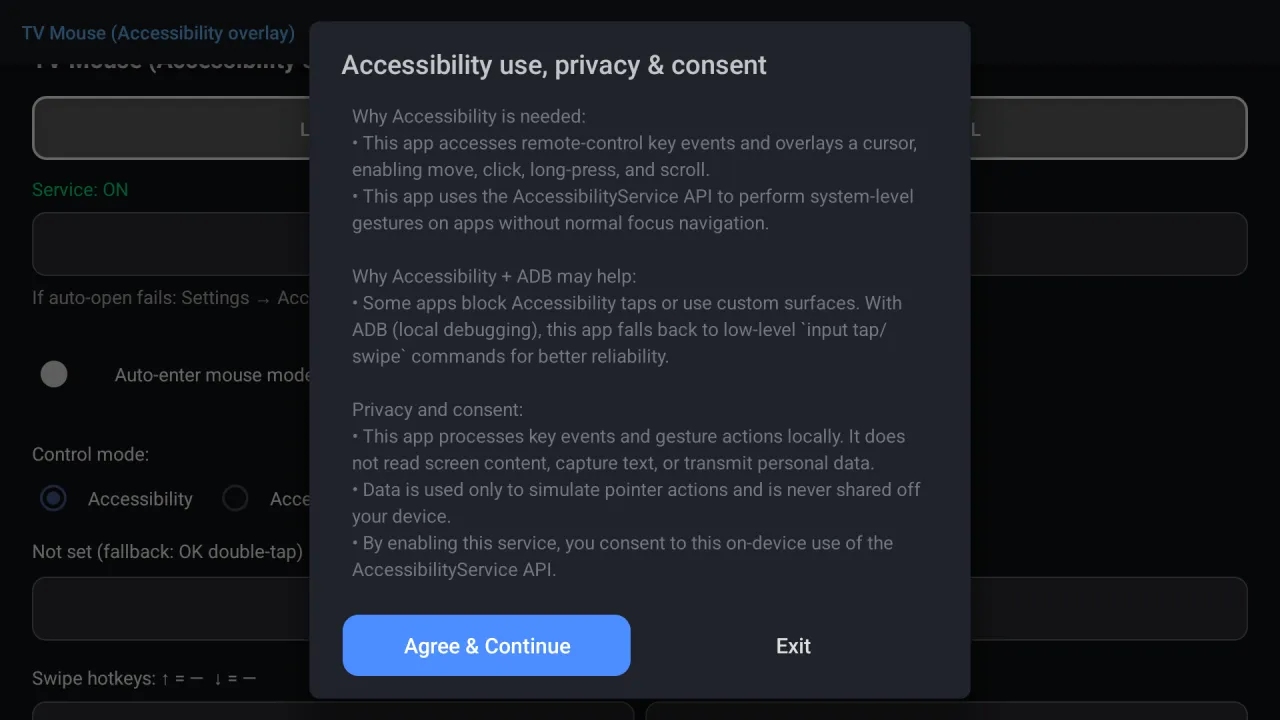
Agree to the notice
The first start explains what the accessibility service is used for: reading remote key events, drawing the cursor and simulating gestures. Processing stays on the device.
Enable the service
Press the enable button. Android opens its accessibility list. Find VxMouse and turn it on. Back in the app the status turns green.
Switch to mouse mode
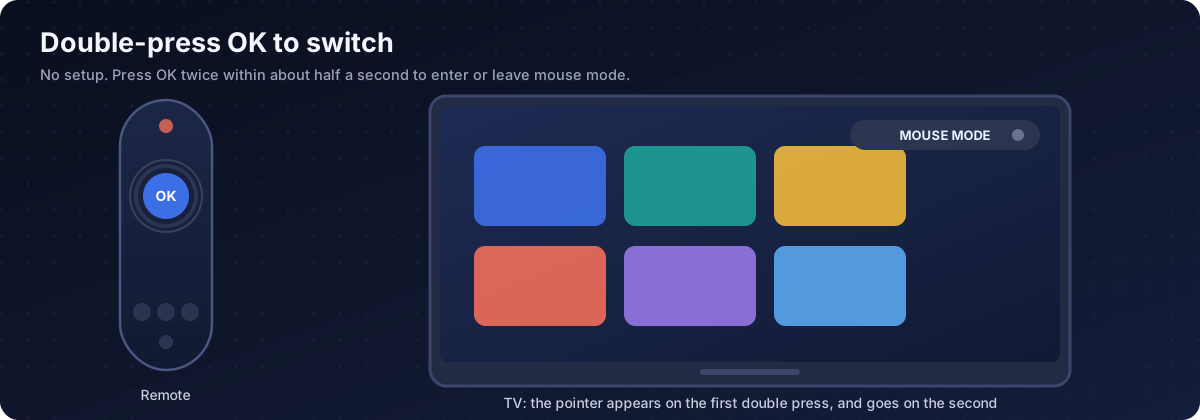
In any app press OK twice. The pointer appears. Press OK twice again to leave.
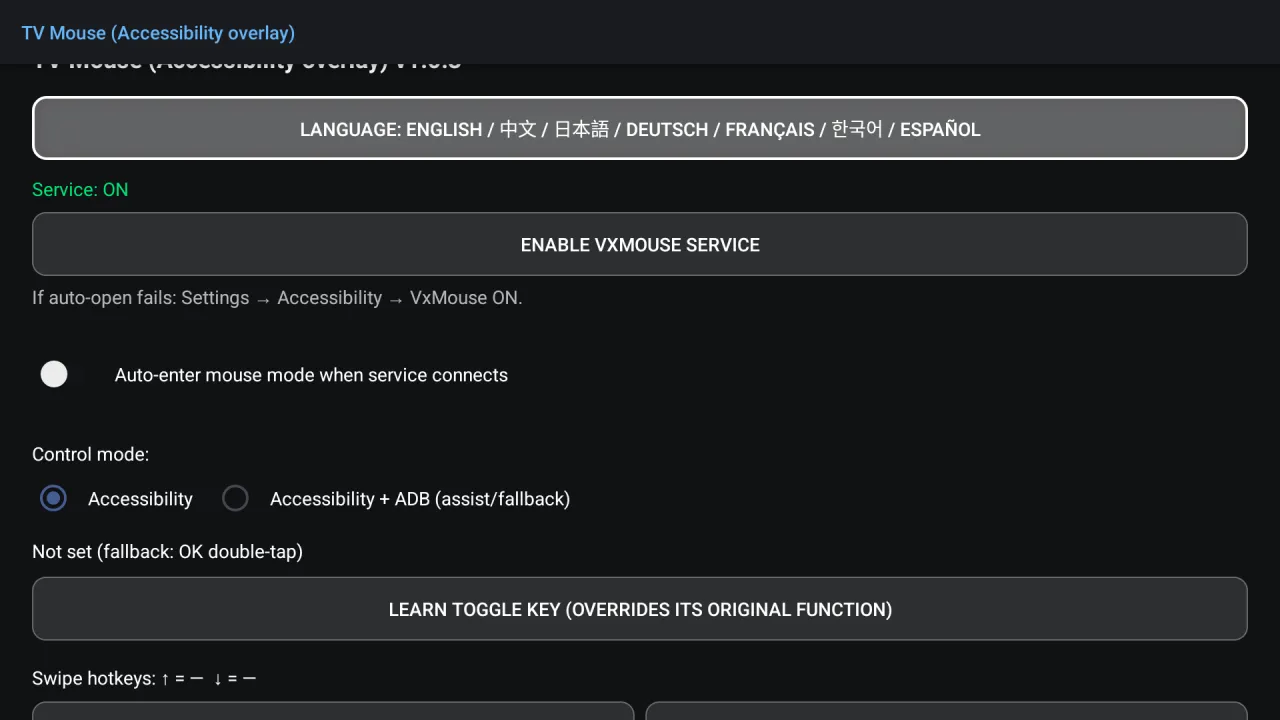
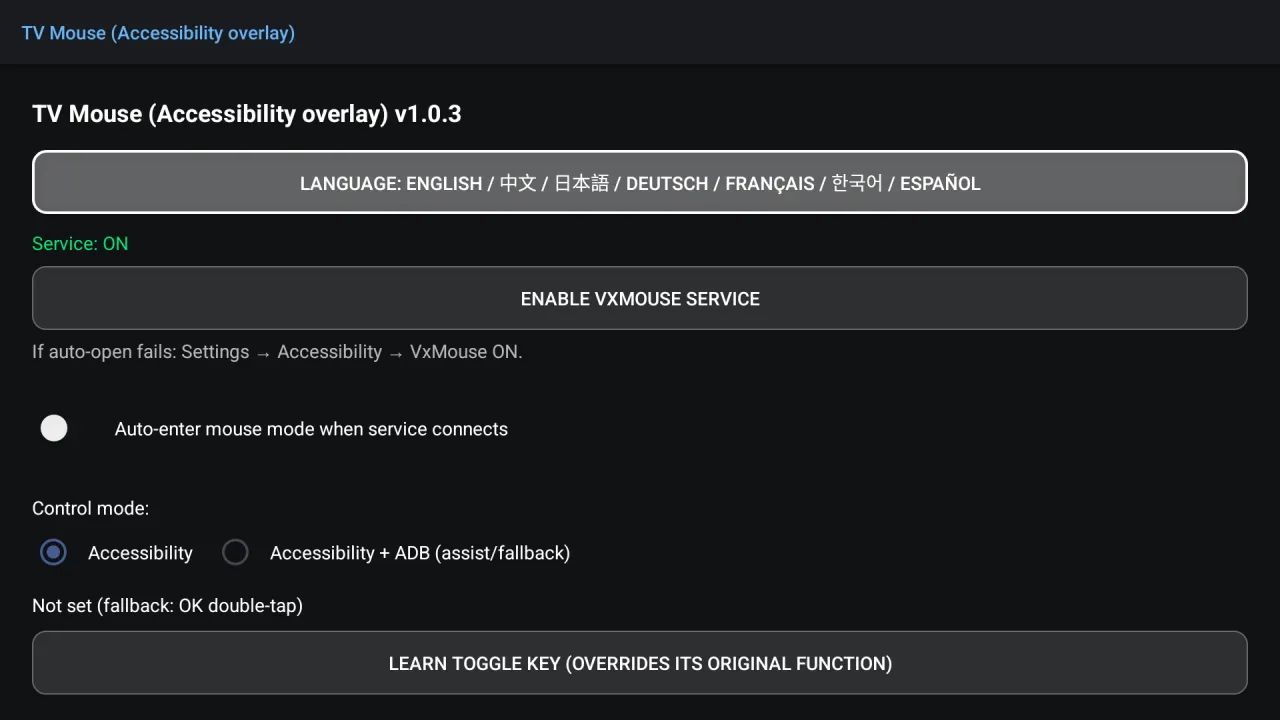
If the automatic jump to the accessibility list fails, open Settings, then Accessibility, then Downloaded services, and turn VxMouse on. The app re-checks its state when you come back to it.
Controls in mouse mode Current release
| Remote | Action |
|---|---|
| Arrow keys | Move the pointer |
| OK | Click |
| Hold OK | Long press, the start of a drag |
| Hold an arrow key | Scroll |
| Back | Leave mouse mode |
| OK twice | Toggle mouse mode on or off |
Hotkeys Next release
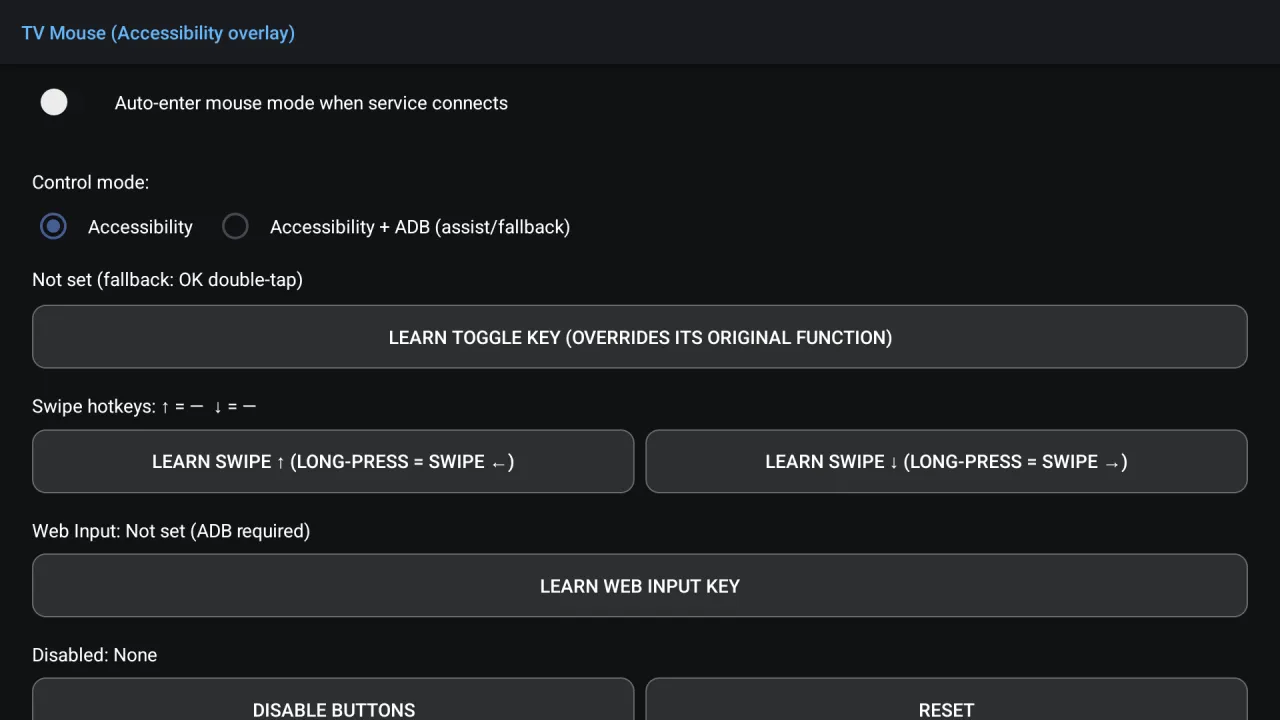
From the next release, if double-OK gets in the way, you can give the toggle to another key. Pick one you rarely use: a learned key overrides its original function.
| Hotkey | What it does |
|---|---|
| Learn toggle key | Any button you choose switches mouse mode on and off. |
| Swipe up key | Press = swipe up. Hold = swipe left. |
| Swipe down key | Press = swipe down. Hold = swipe right. |
| Web Input key | Opens Web Input, which turns the TV into an input device for a phone or computer browser. Needs the ADB channel. |
| Disable buttons | Pick keys that an app keeps triggering by accident. Reset clears the list. |
Two control channels Next release
| Mode | How it works | Good for | Limit |
|---|---|---|---|
| Accessibility | Simulated gestures and key events through the accessibility service. | Everyday browsing and apps. Nothing to pair. | A few apps block simulated gestures. |
| Accessibility + ADB | Accessibility first; an ADB connection steps in when a tap is blocked. | Games and precise taps, Web Input, shell access for the AI. | Needs wireless debugging set up and authorised on the TV. |
ADB can be the same device (many TV boxes allow this) or another computer on your network. An option reconnects automatically at app or service start. The status line shows whether you are on accessibility only or on both channels.
Troubleshooting
| Symptom | Likely cause | What to do |
|---|---|---|
| Status stays Service: OFF | The service is not really enabled. | Turn VxMouse on in the accessibility list, then come back to the app. |
| Service turns itself off | Force-stopping the app makes Android clear the setting. | Enable it again and avoid force-stopping. |
| Service restarts repeatedly | Battery or memory limits. | Turn off battery optimisation for VxMouse. |
| OK twice does nothing | The current screen consumes OK. | Go Home and try again. A custom toggle key arrives with the next release. |
| Pointer shows but will not move | An app holds the focus. | Go Home and try again. The ADB assist mode in the next release is meant for this. |
| Clicks land in the wrong place | Resolution or scaling changed. | Leave and re-enter mouse mode. |
| Pointer disappeared | The service restarted. | Press the toggle again. |
Seven languages
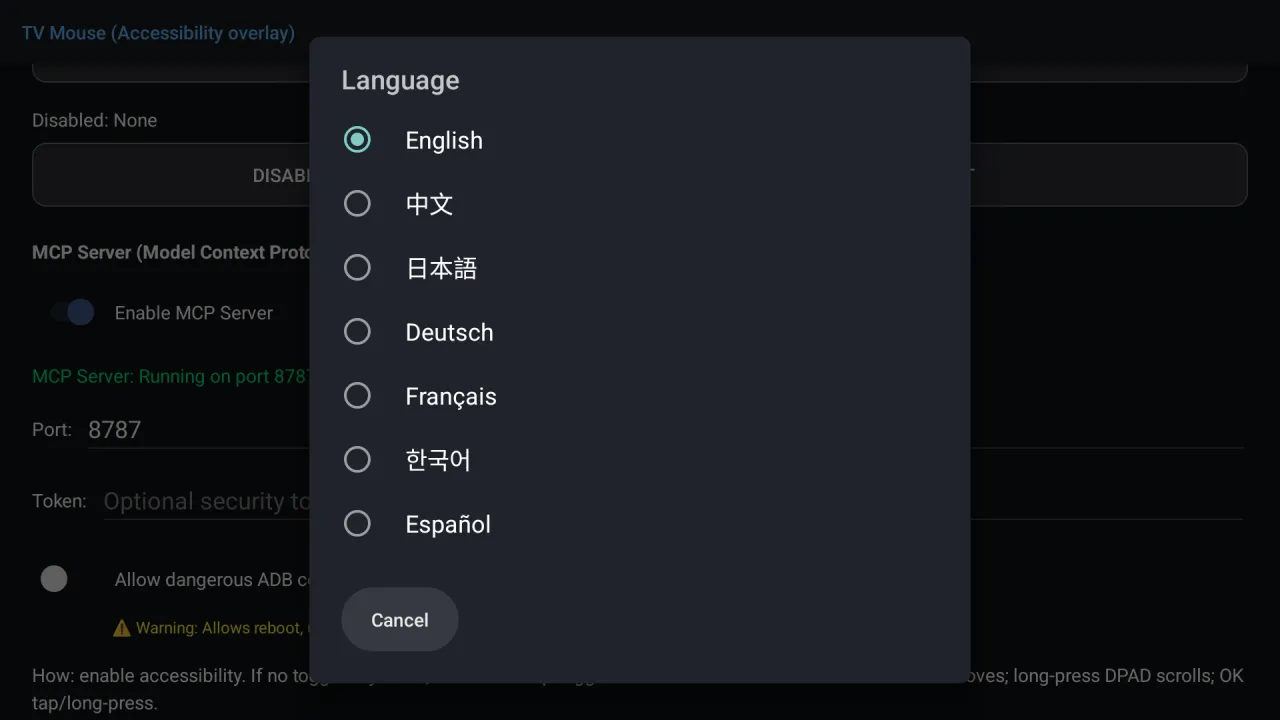
English, Chinese, Japanese, German, French, Korean and Spanish. Some labels refresh when you return to the main screen.
Privacy
The accessibility permission is powerful: in principle it can read what is on screen. VxMouse uses it to simulate the pointer and key events, and mouse mode does not upload anything. When the MCP server is on, screenshots and the element tree are given to the AI client you connect, so connect only clients you trust. See MCP security.
Frequently asked questions
Do I need to root my TV?
No. Mouse mode uses the Android accessibility service, which you switch on in system settings. An optional ADB connection, planned for the next release, adds extra reliability and unlocks a few features.
How do I switch mouse mode on?
Press OK twice within about half a second in any app. Press OK twice again to leave. A custom toggle key (hotkeys) comes with the next release.
Which devices and Android versions work?
Android 8.0 or newer on Android TV and Google TV. The MCP tools also support Android phones and tablets, using touch coordinates through ADB.
Get VxMouse
VxMouse is distributed to supporters on Patreon and can be installed with GTV-toolkit on Windows.