
The AI operating manual
How the server teaches an AI agent to use a TV safely.
Only basic mouse mode is in the current release. That means the accessibility service, double-press OK to toggle, and pointer movement, click, drag and scroll. Hotkeys, the ADB assist mode, Web Input, live translation and the whole MCP server are finished but arrive with the next VxMouse update. Pages and sections marked Next release describe those.
The server tells every AI client to call get_skill before anything else. It returns a long operating manual written for an AI that has never held a remote. This page summarises its rules.
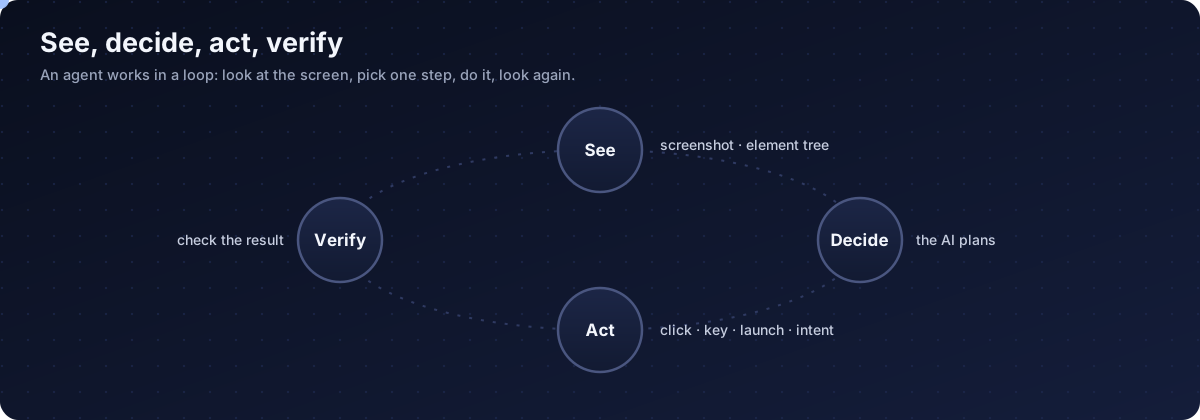
Start every session the same way
Check status
Call vx_system_status to learn the device and the foreground app.
Learn the device
Is it a TV (remote keys) or a phone or tablet (touch through ADB)?
Read the resolution
vx_display_resolution, so positions in screenshots can be turned into clicks.
Greet with a toast
A short message on the TV so the person knows the agent is connected.
Pick the strongest tool first
- MCP tools first: launch, intent, click, find.
- Shell commands (ADB) when they are more reliable than clicking around, and when the channel is available.
- Remote keys last, as navigation of last resort.
- On phones and tablets there is no remote: use ADB touch.
Search the right way
- YouTube: open a search page with
vx_intent_viewand a URL-encoded query. - Other apps and global search:
vx_intent_searchwith plain text, not encoded. - Check the result with a screenshot before pressing anything.
Apps that hide their structure
YouTube TV, Netflix, Spotify, Apple TV and Prime Video expose little or nothing to accessibility. For those the agent switches to screenshots and remote keys. The manual ranks apps by how well the agent can read them: apps with good accessibility are easy, the blacklisted ones are directional-pad only, and Netflix is best avoided because protected video shows black.
Forbidden and risky
| Rule | Why |
|---|---|
| Never press the power key (26) | It shuts the device down |
| Never press the voice assistant key (231) | The AI cannot use it |
| Never trigger payments | Risk of charges |
| Never add or remove accounts | Breaks settings |
| Never disconnect Wi-Fi | The agent would lose its connection |
| Confirm before restarting, changing network settings | High risk |
| Treat storage as read-only unless asked | Medium risk |
Playback and ads
- Pause before like, subscribe or settings, then resume (not for Netflix).
- Skip ads as soon as a skip button exists, close overlay ads, then continue the original task.
When lost
- Ask which app is in front, take a screenshot, and if still unclear press Home and restart the task.
Talk to the person
Use toasts for: connection success, app opened, work in progress, things the agent cannot do (protected or blacklisted apps) and long operations that need patience.
These are guidance for the AI, not enforcement. The real protection is the token and the server switch.
Get VxMouse
VxMouse is distributed to supporters on Patreon and can be installed with GTV-toolkit on Windows.