How to View HDR Photos (HEIC, AVIF, EXR, UltraHDR) on Google TV with VxGallery HDR
Step by step: convert HDR photos from HEIC, AVIF, EXR, DNG or UltraHDR JPEG with the Image-to-HDR MKV Toolkit, send them to your Google TV and view them in VxGallery HDR with a 4K HDR badge.
You have HDR photos in HEIC, AVIF, EXR or UltraHDR JPEG and you want them on your Google TV with real HDR. This guide shows how to view HDR photos on Google TV with two products that work as a pair: the Image-to-HDR MKV Toolkit on your PC and VxGallery HDR on your TV.
Quick answer
- Step 0: install VxGallery HDR on the TV with GTV-toolkit, and get the Image-to-HDR MKV Toolkit for your PC.
- On the PC, pick a folder of HDR photos and convert it. You get
img_hdr_*.mkvfiles. - Send them to the TV by USB, FTPS, SMB or the upload page.
- Open VxGallery HDR. HDR files carry a 4K HDR badge.
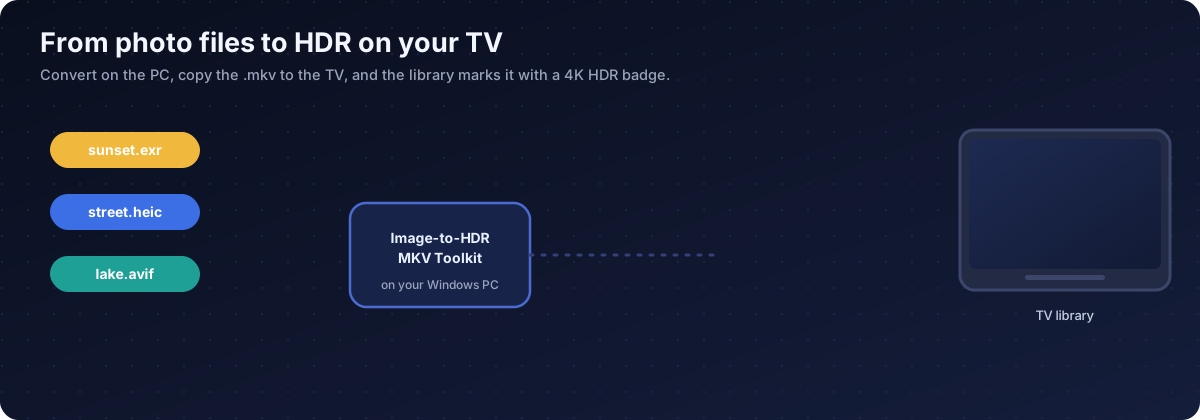
Step 0: get the two products
VxGallery HDR is installed with GTV-toolkit, the Windows app for managing Google TV devices. Its GTV Installer app library lists VxGallery HDR: pick it and install it onto your TV from the PC. Start at the GTV-toolkit page and the download and setup guide.
The Image-to-HDR MKV Toolkit is a Windows tool available on Patreon.
What the Toolkit reads
| Source | Notes |
|---|---|
| EXR | Linear HDR from film and 3D work |
| HDR, PIC | Radiance RGBE, panoramas and older material |
| AVIF | AV1 images that can carry HDR |
| HEIC, HEIF | Apple HDR photos, decoded to BT.2020 linear |
| DNG | Camera RAW |
| JPEG with gain map | UltraHDR, highlights rebuilt from the gain map |
| PNG, TIFF | Ordinary SDR images, SDR path |
Convert on the PC
- Open the Toolkit and choose the source folder.
- Choose the output folder.
- Check the peak brightness. The Toolkit estimates it, or you can pick a value between 400 and 4000 nits.
- Start the batch. If your PC has an NVIDIA, Intel or AMD encoder, turn on hardware encoding to speed up large files.
Each photo becomes a one-frame HEVC Main 10 video with PQ and BT.2020 colour and HDR metadata, named img_hdr_<name>.mkv.
| Prefix | Meaning | In VxGallery HDR |
|---|---|---|
img_hdr_ |
HDR photo container | HDR path and 4K HDR badge |
img_sdr_ |
SDR photo container | Normal playback |
vid_hdr_slideshow_ |
HDR slideshow | Several HDR photos in sequence |
Keep the prefix. If you rename it, the viewer treats the file as an ordinary video.
Send the files to the TV
| Method | Good for |
|---|---|
| USB drive | No network, a few files |
| FTPS | Many files from a PC (how to) |
| SMB | Files on a NAS |
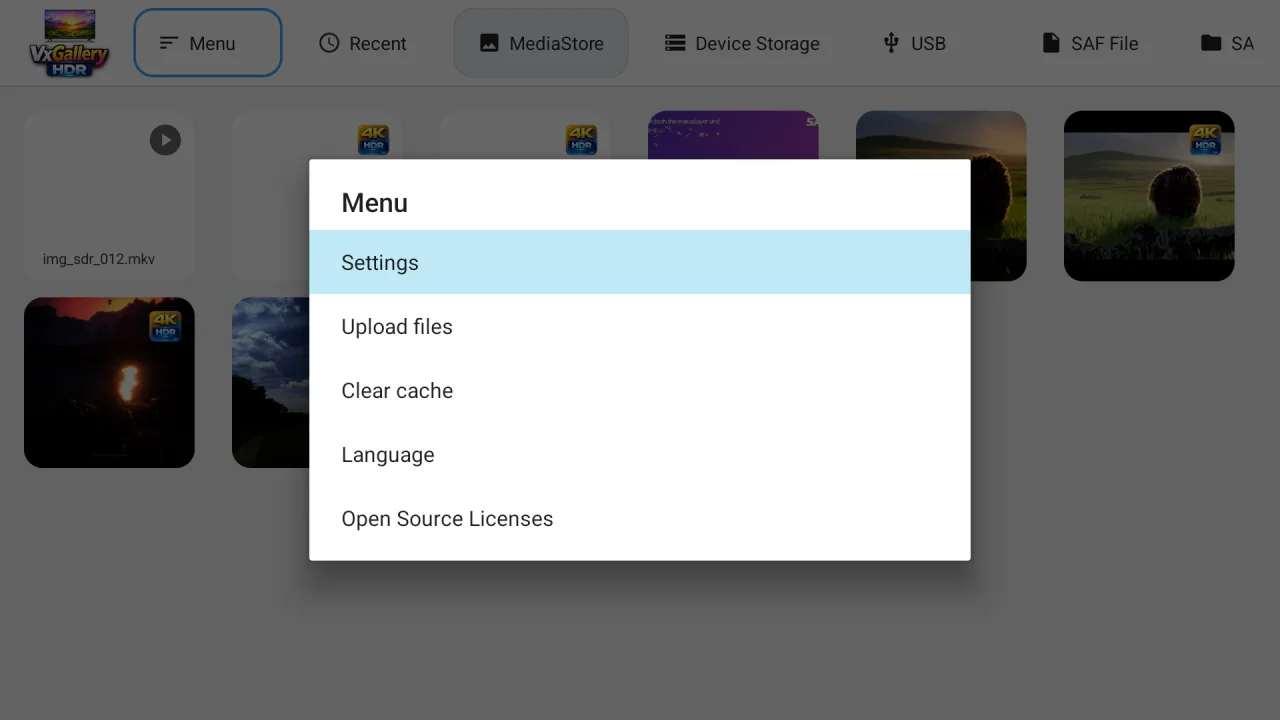
| Upload page | From a phone or PC browser, with Menu then Upload files |
A folder under Pictures is indexed fastest.
Open and look
Open the MediaStore tab for indexed files, or Device Storage to browse folders directly. HDR containers show a 4K HDR badge.
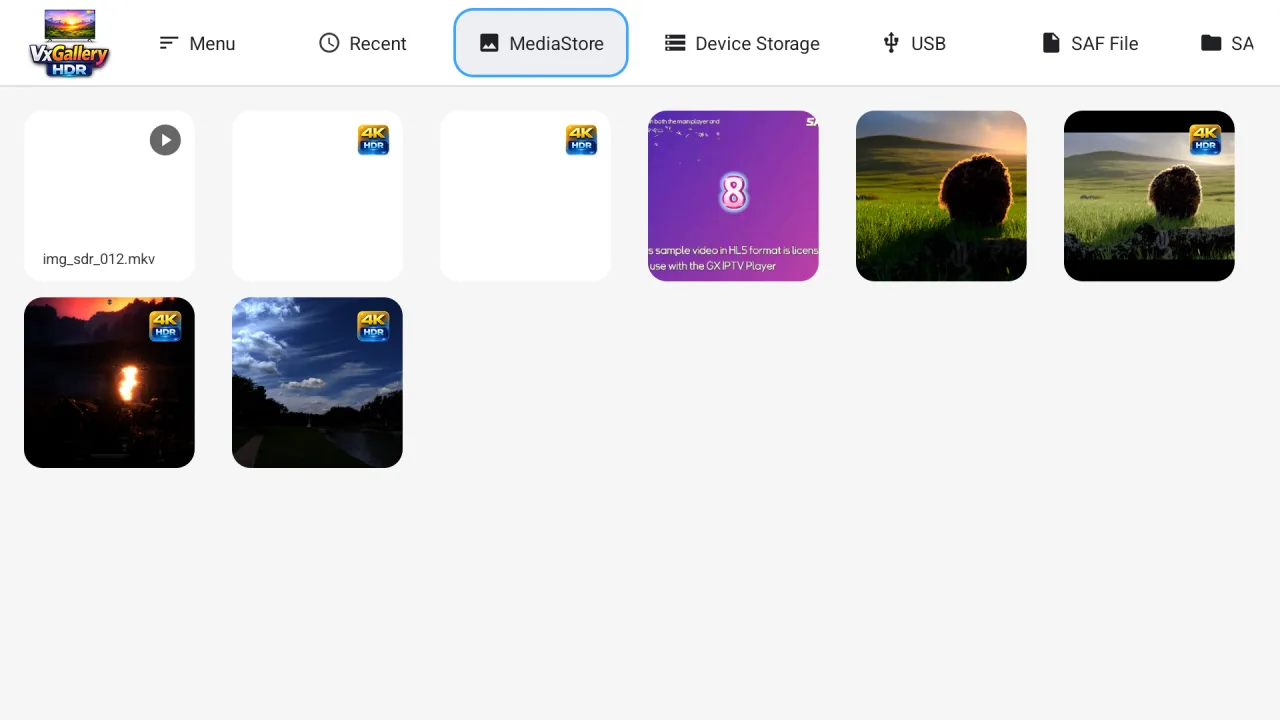
Press OK to start a slideshow on photos, left and right to move, Back to return. The TV should show its HDR indicator while an HDR photo is on screen. An emulator will not, because it only shows SDR output.
If it does not look right
| What you see | Likely cause | What to try |
|---|---|---|
| Too dim | Peak set too low | Convert again with 1000 to 1500 nits |
| Highlights blown out | Peak set too high, or an over-exposed source | Lower the peak |
| Colours off | Wrong source colour space | Check the source, since HEIC and AVIF use BT.2020 |
| No badge | Prefix changed | Rename it back to start with img_hdr_ |
| Not in the library | Not indexed yet | Use Device Storage, or wait and refresh |
For black screens and decoding errors see HDR photo black screen on Google TV.
Bottom line
Convert HDR photos to img_hdr_ MKV files with the Image-to-HDR MKV Toolkit, send them to the TV and open them in VxGallery HDR. Check that your Google TV device decodes 10-bit HEVC and has HDR switched on. Why this works: why Google TV cannot show HDR photos. What else the viewer does: VxGallery HDR advanced features.
Frequently asked questions
How do I view HEIC HDR photos on Google TV?
Convert them to HDR10 MKV files with the Image-to-HDR MKV Toolkit on a Windows PC, send the files to the TV and open them in VxGallery HDR.
Can I view UltraHDR JPEG on Google TV?
The normal image path usually shows it as SDR. Convert it with the Toolkit, which uses the gain map to rebuild the highlights, then play the resulting file in VxGallery HDR.
Which file types can the Toolkit read?
EXR, Radiance HDR (.hdr, .pic), AVIF, Apple HDR HEIC and HEIF, DNG, and JPEG with a gain map. Ordinary PNG and TIFF go down an SDR path.
How do I install VxGallery HDR on my Google TV?
With GTV-toolkit on a Windows PC. VxGallery HDR is in the GTV Installer app library, so you choose it and install it onto your TV.
What does the img_hdr_ prefix do?
It tells VxGallery HDR to use the HDR path and show a 4K HDR badge. img_sdr_ marks an SDR picture and vid_hdr_slideshow_ marks an HDR slideshow. Do not rename the prefix.
How do I get the files onto the TV?
Use a USB drive, an FTPS or SMB transfer, or the Upload files option in the VxGallery HDR menu from a phone or PC browser. A folder under Pictures is indexed fastest.
What peak brightness should I pick?
The Toolkit estimates it for you. You can also pick from 400 to 4000 nits. If the result is dim, try 1000 to 1500. If highlights blow out, lower it.
Can I show several HDR photos in a row?
Yes. Press OK in VxGallery HDR to start a slideshow and set the interval in Settings. A vid_hdr_slideshow_ file holds several photos as one clip.
Put your HDR photos on the big screen
VxGallery HDR plays the files the Image-to-HDR MKV Toolkit makes, with a 4K HDR badge and a remote-friendly slideshow on Google TV.