VxGallery HDR Advanced Features: Real 4K Photos, HDR10, Ultra HDR and NAS Browsing on Google TV
What sets VxGallery HDR apart on Google TV: true 4K photo display, HDR photos as HDR10 video with the Image-to-HDR MKV Toolkit, Ultra HDR checks, device probing, SMB, Dropbox, Synology and TMDb.

Most TV gallery apps are phone apps stretched to a big screen. VxGallery HDR was built around what a Google TV cannot do with photos, and works around it. This post covers the advanced capabilities: true 4K photo display, HDR photos as HDR10 video, device checks and network sources.
Quick answer
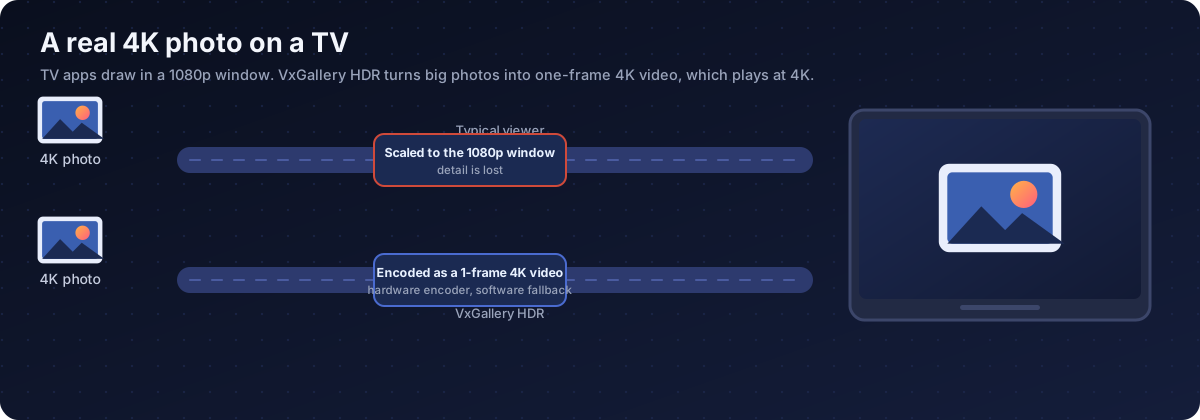
- 4K: big photos are encoded on the device into a one-frame 4K video, so the TV shows 3840x2160 instead of a scaled-down 1080p picture.
- HDR: HDR photos play as one-frame HDR10 video, because many TVs have no still-image HDR. The Image-to-HDR MKV Toolkit makes the files.
- Safety: the app tests the device first and falls back when something is not supported.
- Sources: SMB, Synology, Dropbox, USB, local storage and an upload page.
Step 0: get the app
VxGallery HDR is installed with GTV-toolkit, the Windows app for managing Google TV devices. Its GTV Installer app library lists VxGallery HDR, so you pick it and install it onto your TV from the PC. Start at the GTV-toolkit page and the download and setup guide. For HDR photos, add the Image-to-HDR MKV Toolkit on your PC.
1. Real 4K photos
Apps on Google TV normally render in a 1080p window, and the device scales the picture up for a 4K panel. Open a 3840x2160 photo in an ordinary viewer and it is scaled down first, so zooming in only enlarges a 1080p picture. Pushing a huge bitmap straight to the GPU can also fail with a texture-size error.
VxGallery HDR takes the road video players use:
| Step | What happens |
|---|---|
| 1 | You open a photo larger than 1080p |
| 2 | The app encodes it on the device into a one-frame 4K video |
| 3 | The video plays through the normal video path |
| 4 | The TV receives a 3840x2160 picture |

| Topic | Behaviour |
|---|---|
| Capability check | The app tests whether the box can encode a 4K frame in hardware. If not, it uses a software encoder |
| Speed | In our emulator test a 3840x2160 PNG took about two seconds with the software fallback |
| Cache | Converted frames are cached, roughly 0.5 to 2 MB each, and can be cleared from the menu |
| Scope | Only photos larger than 1080p are converted. Animated GIFs and animated WebP are left alone |
| Colour | This path is 8-bit SDR video |
You need a 4K TV on an HDMI 2.0 input. Some TVs also have an enhanced HDMI format option that must be on for 4K at 60 Hz.
2. HDR photos as HDR10 video
Google TV describes HDR video and HDR still images separately, and many TV displays support the first and not the second. A photo drawn the normal way is shown as SDR and loses its highlights. Why that happens.
VxGallery HDR plays HDR photos as one-frame HDR10 video: HEVC Main 10, 10-bit, PQ (ST.2084), BT.2020, with mastering-display and max-CLL values. The file name decides the path:
| Prefix | Meaning |
|---|---|
img_hdr_ |
HDR photo, HDR path and 4K HDR badge |
img_sdr_ |
SDR photo container |
vid_hdr_slideshow_ |
HDR slideshow |
The HDR picture is drawn on its own surface, so the interface layer does not push it back to SDR. The files come from the PC-side Image-to-HDR MKV Toolkit, which reads EXR, Radiance HDR, AVIF, HEIC, DNG and UltraHDR JPEG. See how to convert and view HDR photos.
| Job | Who does it |
|---|---|
| Make HDR10 containers | Image-to-HDR MKV Toolkit, on a Windows PC |
| Play them on an HDR surface and probe the device | VxGallery HDR, on the TV |
| Upgrade big ordinary photos to 4K video | VxGallery HDR, on the TV |
3. Ultra HDR and device checks
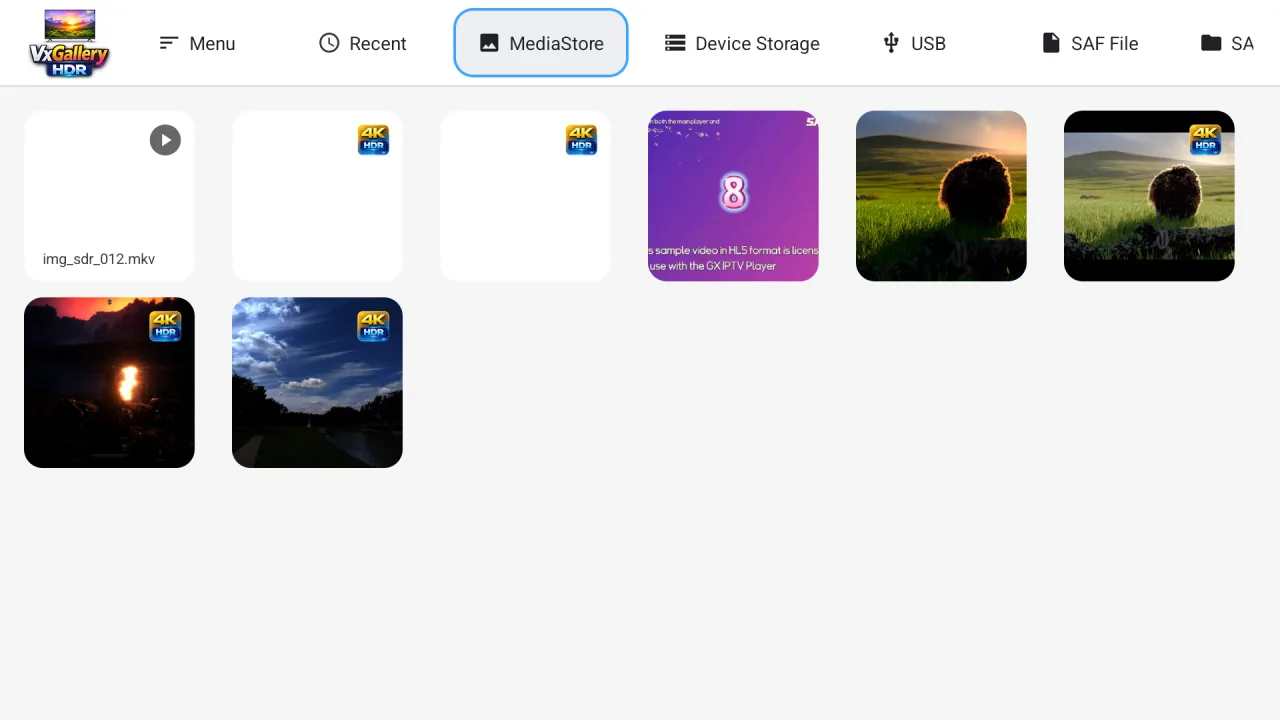
Ordinary viewers open a JPEG as 8-bit sRGB. VxGallery HDR first asks the system whether it can decode HDR, reads the gain map of an Ultra HDR (JPEG_R) photo when it can, and chooses the window colour mode to match. It reports what it finds: HDR types, brightness range, wide colour, Ultra HDR support and whether 4K single-frame encoding is available.
The idea is to measure first and choose the path second, instead of assuming every TV is the same.
4. Your library is not just the TV
| Source | Notes |
|---|---|
| Local storage, USB | Indexed media or direct browsing |
| SAF | Single files or folders through the system picker |
| SMB 2/3 | NAS and Windows shares |
| Synology | Share integration |
| Dropbox | Browse and play from the cloud |
| TMDb | Optional posters and basic information for video folders |
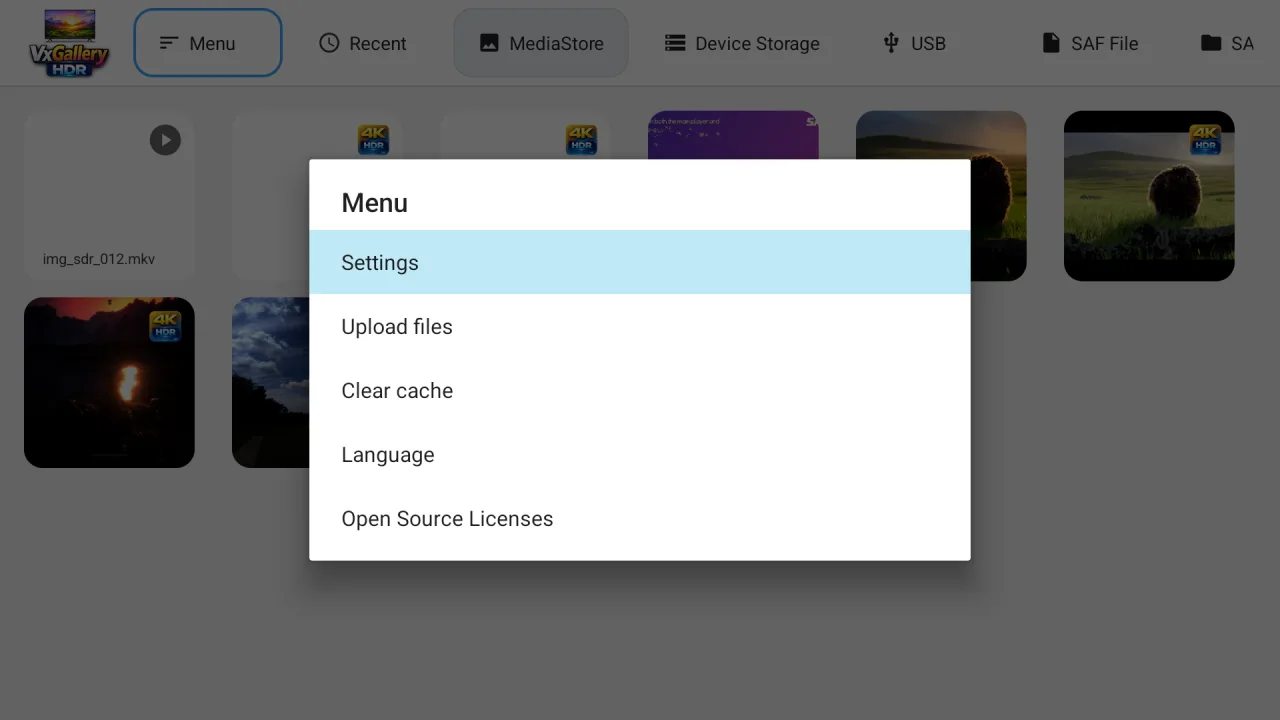
Upload files in the menu opens a page you can reach from a phone or PC browser, handy for sending many HDR files at once.
5. The remote-first viewer
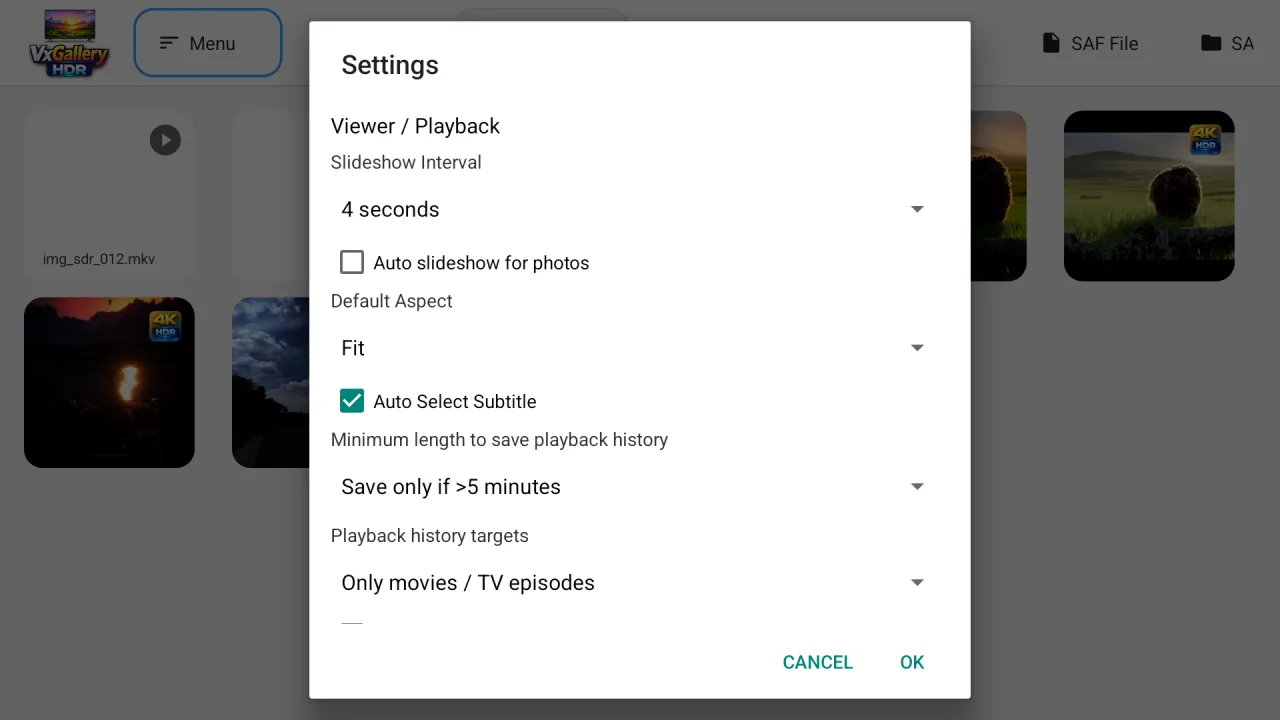
Press OK to start or stop a slideshow, left and right to move, Back to return. Settings cover the slideshow interval, an automatic slideshow for photos, the default aspect (Fit, Fill, Zoom), automatic subtitle choice and playback-history rules.
Good to know
| Limit | Why |
|---|---|
| No HDR from the 4K path | It produces 8-bit video |
| HDR needs 10-bit HEVC hardware decoding | Otherwise you see a decoding error. See the fix guide |
| VxGallery HDR does not make HDR10 files | Use the Image-to-HDR MKV Toolkit on a PC |
| Our test numbers come from an emulator | Real devices vary |
Bottom line
VxGallery HDR treats a Google TV as what it is: a display that plays video very well and handles photos poorly. By turning photos into video it delivers true 4K and HDR10, and by testing the device first it avoids guessing. Install VxGallery HDR with GTV-toolkit and pair it with the Image-to-HDR MKV Toolkit.
Frequently asked questions
Can Google TV show real 4K photos?
Only if the app gets the picture to the TV at 4K. Apps normally render in a 1080p window and the device scales up. VxGallery HDR encodes large photos into a one-frame 4K video so the video path delivers 3840x2160.
How long does a 4K photo take to open?
In our emulator test a 3840x2160 PNG took about two seconds with the software fallback. Devices with hardware 4K encoding should be faster, and converted photos are cached.
Is the 4K photo path HDR?
No. It makes 8-bit video for ordinary photos. HDR photos use HDR10 containers made with the Image-to-HDR MKV Toolkit.
What if my box cannot encode 4K in hardware?
The app tests this at start and falls back to a software encoder automatically. It can be slower on weak boxes.
Does it support Ultra HDR (JPEG_R)?
It asks the system whether HDR decoding is available, reads the gain map when it is, and picks the display path from the answer. Many TV displays report no still-image HDR, which is why the HDR10 container route exists.
Can it open photos from a NAS?
Yes. It browses SMB shares, Synology shares and Dropbox, alongside local storage, USB and the system file picker.
How do I install VxGallery HDR?
With GTV-toolkit, the Windows app for managing Google TV devices. VxGallery HDR is in its GTV Installer app library.
How do I get photos onto the TV?
Use USB, a network share, or the built-in upload page: open Menu, choose Upload files, and send from a phone or PC browser.
Put your photos on the TV at their real resolution
VxGallery HDR for Google TV: 4K photo display, HDR10 photo playback, network sources and a remote-friendly viewer. Pair it with the Image-to-HDR MKV Toolkit.