Why Google TV Cannot Show HDR Photos, and How VxGallery HDR Fixes It
Google TV plays HDR video but usually not HDR photos, so your best shots look flat. See why, and how VxGallery HDR and the Image-to-HDR MKV Toolkit bring the highlights back.
You open an HDR photo on your Google TV and it looks flat: skies are washed out, the sun is a white blob, colours are plain. This post explains why Google TV cannot show HDR photos, even though it plays HDR video well, and how VxGallery HDR and the Image-to-HDR MKV Toolkit solve it together.
Quick answer
- Google TV handles HDR video and HDR still images through different paths.
- Many TV displays support the video path but report no still-image HDR.
- A photo shown the normal way is treated as SDR, so highlights are clipped.
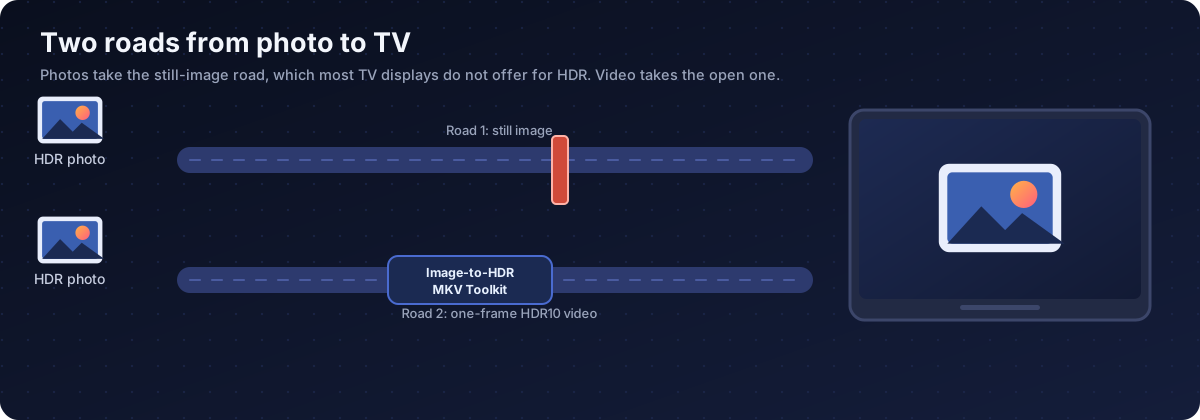
- The fix: the Toolkit packs each photo into a one-frame HDR10 video, and VxGallery HDR plays it on an HDR surface.
Two paths, two answers
| What you show | How Google TV asks the display | Typical answer |
|---|---|---|
| HDR video | Which HDR types does the display support? | HDR10, often HLG and Dolby Vision |
| HDR photo | Is still-image HDR available (for example UltraHDR)? | Often no |
When the answer is no, a photo goes through the normal image path as SDR. Highlights above the SDR range are clipped and wide colour is brought back to the standard range. The picture looks grey and flat. Our test device, an emulator, reported no HDR types and no still-image HDR, which shows the effect in its plainest form.
The fix: two products, one workflow
| Step | Product | What it does |
|---|---|---|
| 1 | Image-to-HDR MKV Toolkit (Windows PC) | Converts HDR photos into HEVC Main 10, PQ, BT.2020 one-frame MKV files, with the brightness metadata the TV needs |
| 2 | VxGallery HDR (Google TV) | Plays the files on a dedicated HDR surface and marks them with a 4K HDR badge |
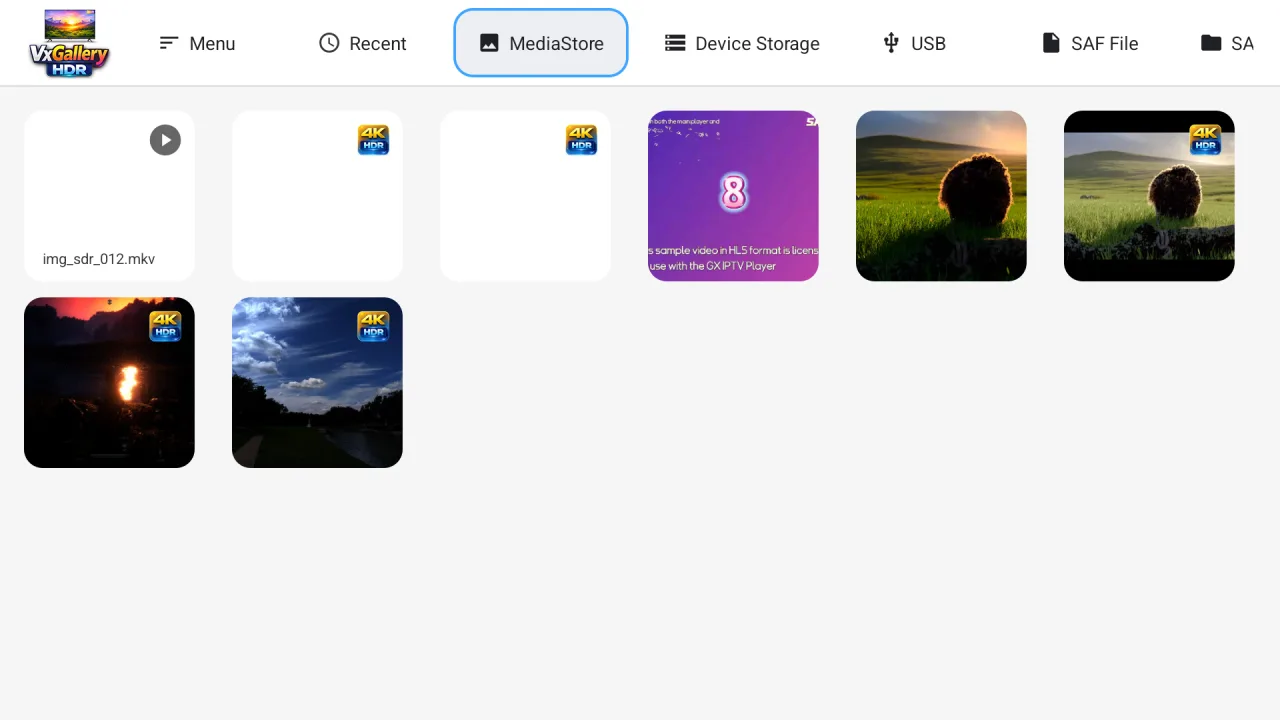
The Toolkit reads EXR, Radiance HDR, AVIF, Apple HDR HEIC, DNG and UltraHDR JPEG, estimates a peak brightness for you, and converts a whole folder in one batch. The file name is the switch: img_hdr_ files take the HDR path in VxGallery HDR.
Step 0: get VxGallery HDR and the Toolkit
VxGallery HDR is installed with GTV-toolkit, the Windows app for managing Google TV devices. Its GTV Installer app library lists VxGallery HDR, so you pick it and install it on your TV from the PC. See the GTV-toolkit page and its download and setup guide.
The Image-to-HDR MKV Toolkit is a separate Windows tool, available on Patreon.
Why not AVIF, UltraHDR or JPEG XL on the TV?
| Format | Problem on Google TV |
|---|---|
| HDR AVIF | Needs HDR image composition, which the normal image path turns into SDR |
| UltraHDR (JPEG_R) | Needs still-image HDR support, which TVs rarely have |
| JPEG XL | Barely supported on Android |
| EXR, Radiance HDR | Desktop formats that Android cannot show directly |
A video container is the one route that gives dependable HDR output on a TV, which is why the Toolkit and VxGallery HDR use it.
What it takes
- A Google TV device that decodes 10-bit HEVC (Main 10) in hardware.
- HDR switched on for the TV and the HDMI input.
- VxGallery HDR on the TV and the Toolkit on a PC.
If the device cannot decode 10-bit HEVC, you will not see a flat picture. You will see a decoding error.

That screenshot comes from an emulator, which only decodes 8-bit HEVC. Real 4K Google TV boxes with Main 10 hardware decoding do not show it. See how to fix an HDR photo black screen.
How to check it worked
| Check | What to look for |
|---|---|
| TV on-screen display | An HDR or HDR10 indicator while the photo is shown |
| Highlights | Sun, lamps and reflections keep detail instead of turning white |
| Colour | Saturated colours stay rich, not grey |
| Library | A 4K HDR badge on the converted files |
Bottom line
Google TV often cannot show HDR photos because the still-image path has no HDR. The Image-to-HDR MKV Toolkit turns your photos into one-frame HDR10 videos, and VxGallery HDR plays them as the HDR pictures they were. Next: how to view HDR photos on Google TV, step by step.
Frequently asked questions
Why do HDR photos look dull on my Google TV?
The display path for still images often has no HDR support. The photo is drawn as SDR, so bright areas are clipped and colours are limited to the standard range.
Does Google TV support HDR photos?
Google TV devices play HDR10, HLG and Dolby Vision video, but still-image HDR, such as UltraHDR JPEG, is rarely reported by TV displays.
What is a one-frame HDR10 video?
A video file that holds a single picture, encoded as HEVC Main 10 with PQ and BT.2020 colour and HDR metadata. The TV treats it like any HDR video and switches into HDR mode.
How do I make my photos HDR10 for the TV?
Use the Image-to-HDR MKV Toolkit on a Windows PC. It converts EXR, Radiance HDR, AVIF, Apple HDR HEIC, DNG and UltraHDR JPEG into img_hdr_ MKV files.
Which app plays those files?
VxGallery HDR, a photo and video viewer for Google TV. It recognises the img_hdr_ files, draws them on a dedicated HDR surface and marks them with a 4K HDR badge.
How do I install VxGallery HDR?
Through GTV-toolkit, the Windows app for managing Google TV devices. VxGallery HDR is in its GTV Installer app library.
Do I need a special TV?
You need a Google TV device that decodes 10-bit HEVC (Main 10) and a display with HDR switched on. That covers most 4K devices from the last several years.
Is the result a normal photo file?
No, it is a video container holding one frame. Other photo viewers will not recognise it, so keep your originals.
See your HDR photos the way you shot them
VxGallery HDR plays one-frame HDR10 photo files on Google TV, and the Image-to-HDR MKV Toolkit makes them from your HDR photos.