Show any screen on the big screen.
CastLunex casts your phone to a TV, your phone to a PC, a TV to a PC and a PC to a TV over your own network, shows HDMI capture cards and USB cameras on Google TV, and records everything to MP4. One app, three platforms, no account.
Things most casting apps do not do
No ADB, no root, no USB debugging
With the Full edition a PC mouse and keyboard can operate a phone, a tablet or a TV over your own network. Tools of this kind usually need a cable, developer mode and ADB. CastLunex needs one thing: an accessibility switch that you turn on yourself.
A keyboard built in
Type on the PC keyboard and the text lands in the field that is focused on the phone or TV, or set the phone clipboard from the PC. No separate keyboard app and no ADB text commands.
A TV remote on your desktop
D-pad, OK, Back, Home, Menu, volume and play / pause in a small always-on-top window. Hold a button and it repeats, so the volume ramps smoothly.
Higher resolution projection
1080p at 60 fps, plus 1440p and 4K targets with a bitrate that grows with them. If the device cannot encode a size, CastLunex keeps your old setting and says so instead of dropping the stream. The phone native screen stays the ceiling.
Edge cutting on the receiver
Crop the left, both sides, the top or the top and bottom, or cut the middle 16:9, on the PC or the TV. The sender always sends the whole picture, so galleries and games are never pre-cut. In fullscreen on the PC press C to cycle the crop.
Mute only the sender
The phone goes quiet, the TV or PC keeps the sound, and the volume returns by itself when sharing ends.
No Chromecast built-in needed
Any Google TV or Android TV box, white-label boxes and even the TV emulator work, because both ends run CastLunex.
Capture cards with no drivers
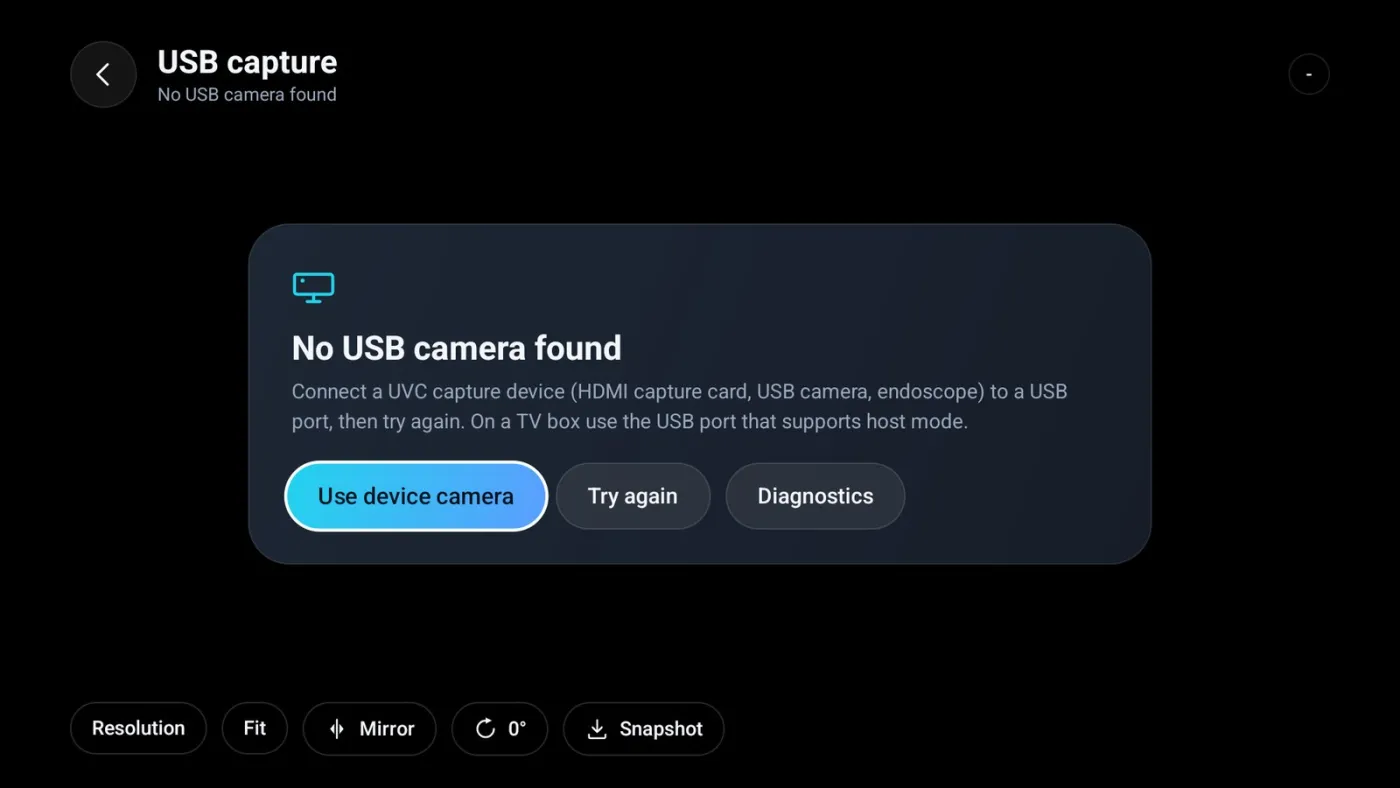
USB capture on Android uses the system external-camera support, with no root and no extra drivers. A diagnostics page shows what the system sees.
A built-in latency test
A moving-ball animation lets you put the phone and the PC or TV side by side and see the delay with your own eyes.
One app, three editions
Play edition
Limited-feature edition for Google TV, Android TV, phones and tablets. Mirroring, receiving, USB capture and recording. Coming to Google Play.
Full edition for Google TV
Everything in the Play edition, plus opening the receiver when the TV starts and controlling the TV from a PC. Posted on Patreon and installed with GTV-toolkit.
Windows edition
The full desktop app: receive phones and TVs, capture USB devices, share the PC to a TV, manage recordings and use the remote. Patreon only.
Every direction, one workflow
Phone to TV
Show your phone or tablet on the Google TV with a PIN or a QR code. Photos, apps, video calls and demos on the big screen.
Phone to PC
See your phone on a Windows PC, record it to MP4 and, with the Full edition, control it with the PC mouse and keyboard.
TV to PC
See and record what is on your Google TV from a Windows PC.
PC to TV
Send your Windows desktop to the TV for slides, games and teaching.
USB capture
HDMI capture cards, USB cameras and endoscopes on the big screen, with snapshot, mirror and rotate.
Record to MP4
Record any source on the device that receives it, and manage the files on Windows.
Remote control (Full)
Use the PC mouse, an on-screen TV remote and the PC keyboard to control a phone or a TV.
A look at the pre-release build
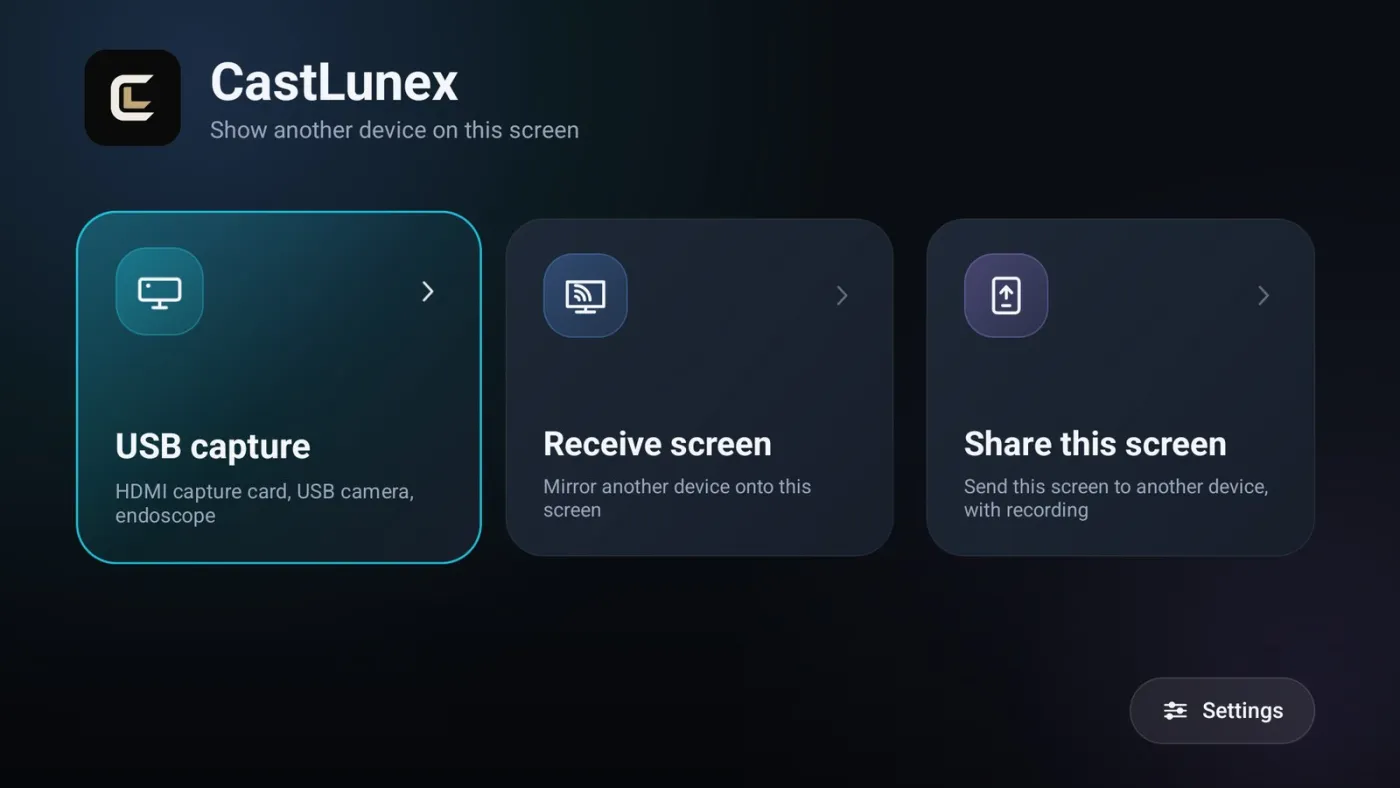
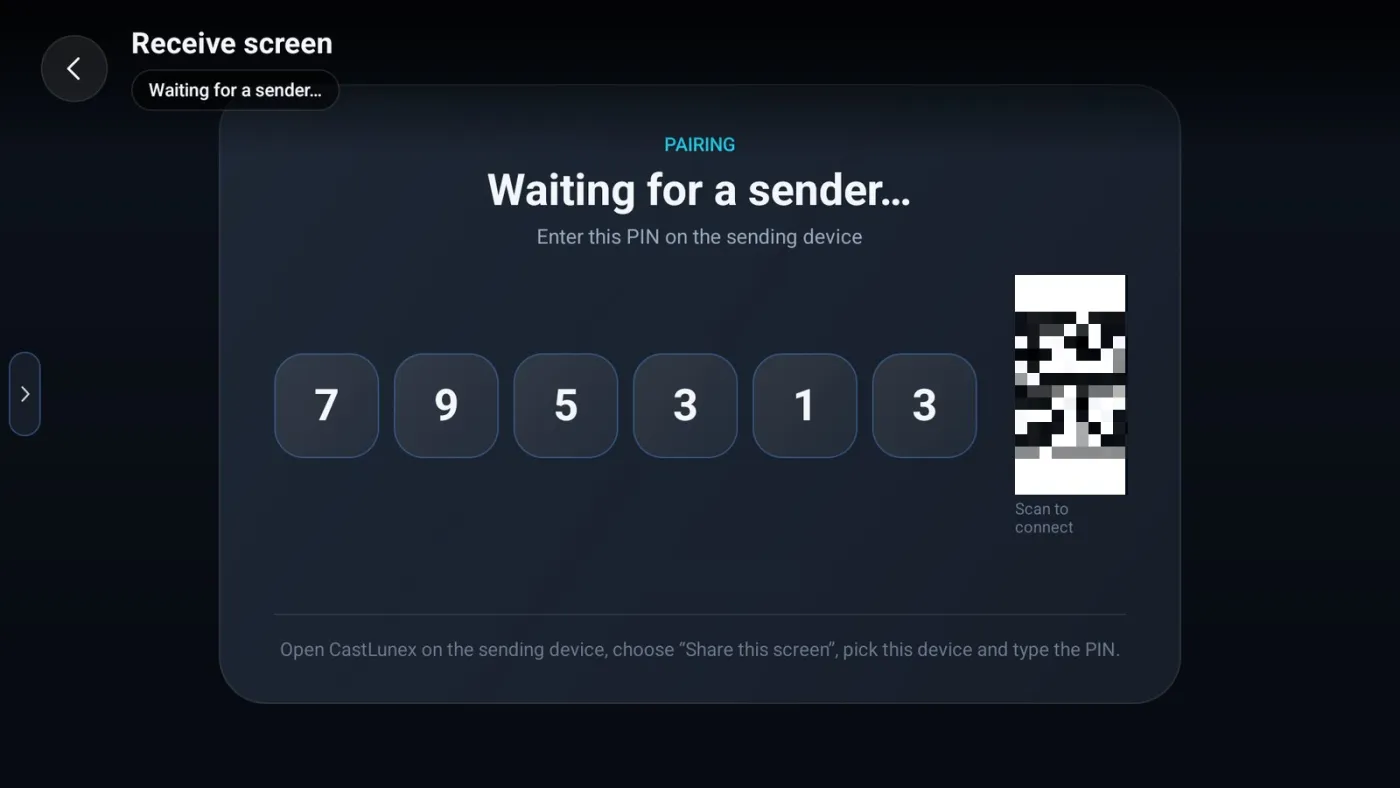
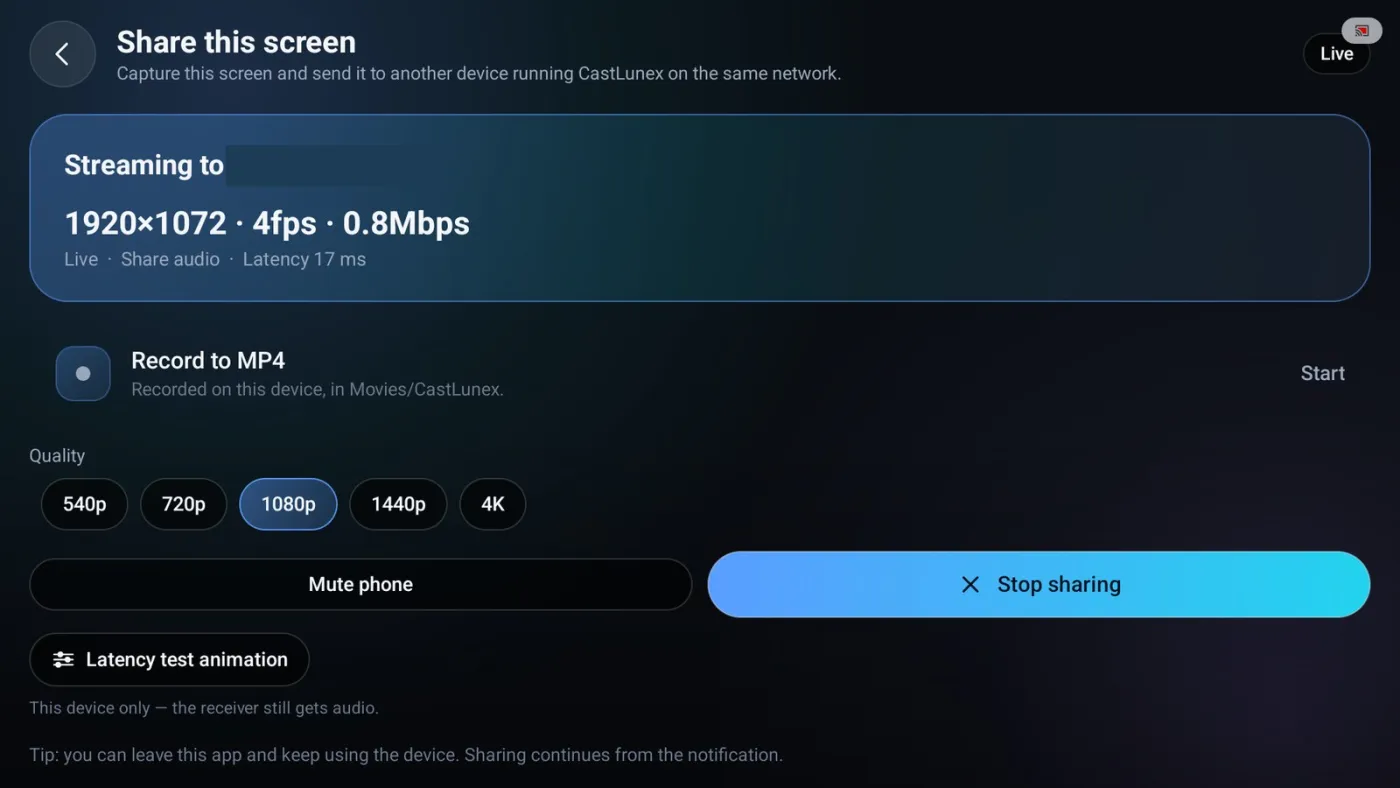
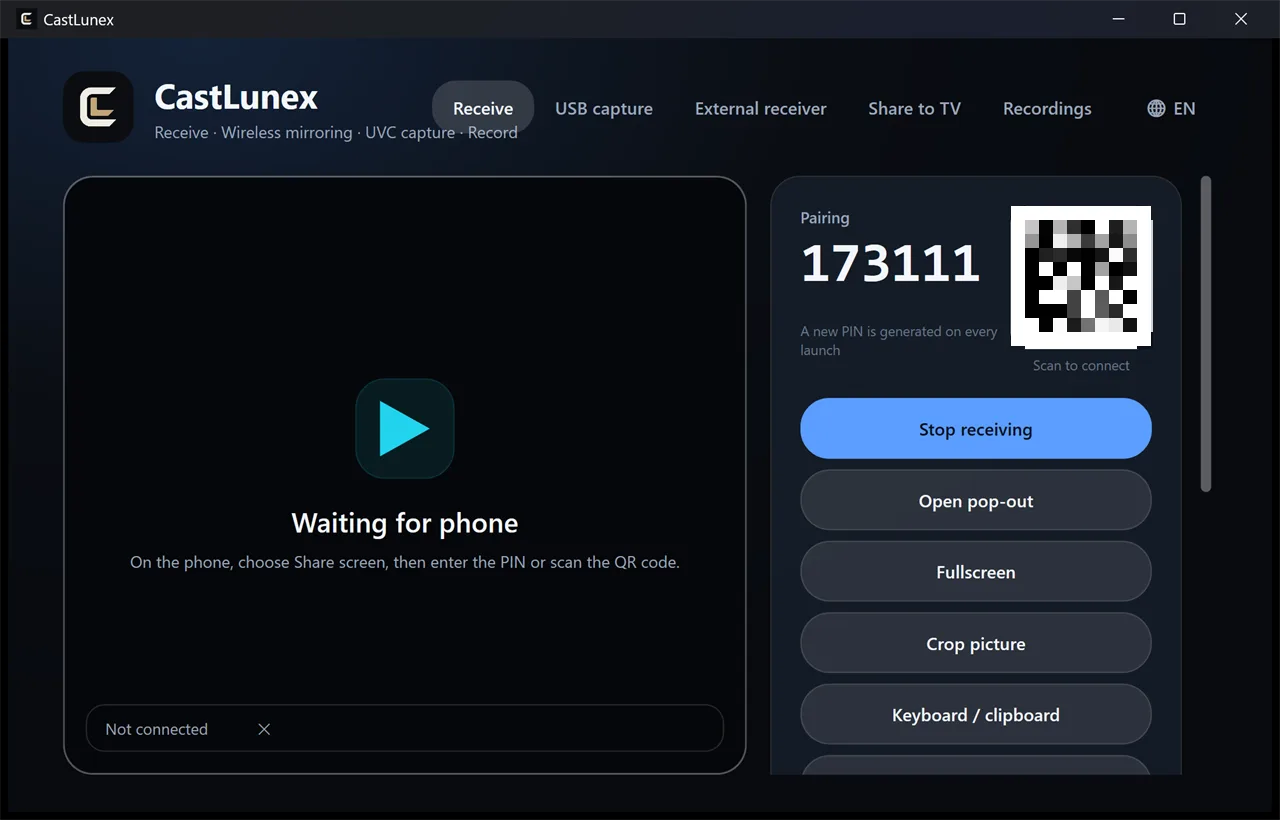
You choose the picture, the speed and the direction
1080p60 and up to 4K
Pick 30 or 60 fps and a quality from 540p to 4K. Built-in casting decides for you.
Game low-latency mode
A short frame queue and low-latency encoder settings keep games, demos and lessons close to live on your own network.
Mute only the sender
Silence the phone while the TV or PC keeps playing the sound. It comes back when sharing stops.
Crop to 16:9
Turn a tall or 20:9 phone screen into a clean full-screen 16:9 picture, without stretching.
Any device to any device
Phone, TV and PC in every direction, including Google TV boxes without Chromecast built-in.
Record and capture
Record to MP4 and show capture cards, USB cameras and endoscopes. Built-in casting does neither.
Honest limits: no HDR, H.264 only, no 120 fps, protected (DRM) content can stay black, and both devices need the app.
Your network, your screens
- Devices connect directly on your local network.
- No account, no cloud relay, no upload of your screen.
- A random six digit PIN pairs each session, a QR code saves typing, and three wrong tries lock pairing for a minute.
- Recordings stay on your own devices.
Be there on release day
Follow Cloud Curry Studio on Patreon for release news. The Full edition and the Windows edition are posted there.
Quick answers
Is CastLunex available yet?
Not yet. CastLunex is coming soon. A limited edition is planned for Google Play, the Full edition for Google TV on Patreon, installed with GTV-toolkit, and the Windows edition on Patreon only.
What is the difference between the Play edition and the Full edition?
The Play edition covers mirroring, receiving, USB capture, recording, pairing and audio sharing. The Full edition adds opening the receiver when the TV starts, and controlling a phone or a TV from a PC with mouse, remote and keyboard.
How will I install the Full edition on Google TV?
The Full edition will be posted on Patreon and installs onto Google TV with GTV-toolkit, our Windows tool for installing apps on your TV from your PC.
Is there a Windows version?
Yes. The Windows edition is a full-featured desktop app, available on Patreon only. It receives phones and TVs, captures USB devices, shares the PC screen to a TV, and manages recordings.