How to Install an APK on Google TV Without a Computer (Download from a Link)
No PC or USB stick? Download an APK from a web link right on your Google TV and install it. Steps, fixes for 403 and 404 errors, and safety tips.
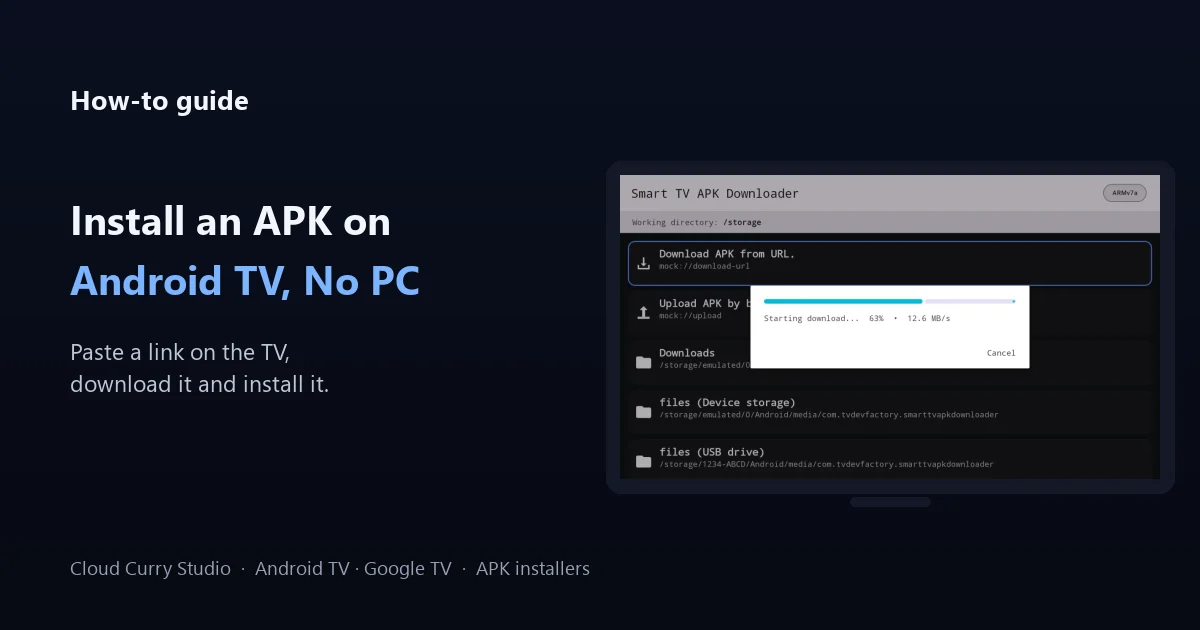
You want an app that is not in the Play Store, but you do not have a computer handy, or you do not want to walk a USB stick over to the TV. Good news: the TV can download the APK itself. This guide shows how to install an APK on Google TV without a computer, how to fix the download errors people hit, and how to stay safe.
Quick answer
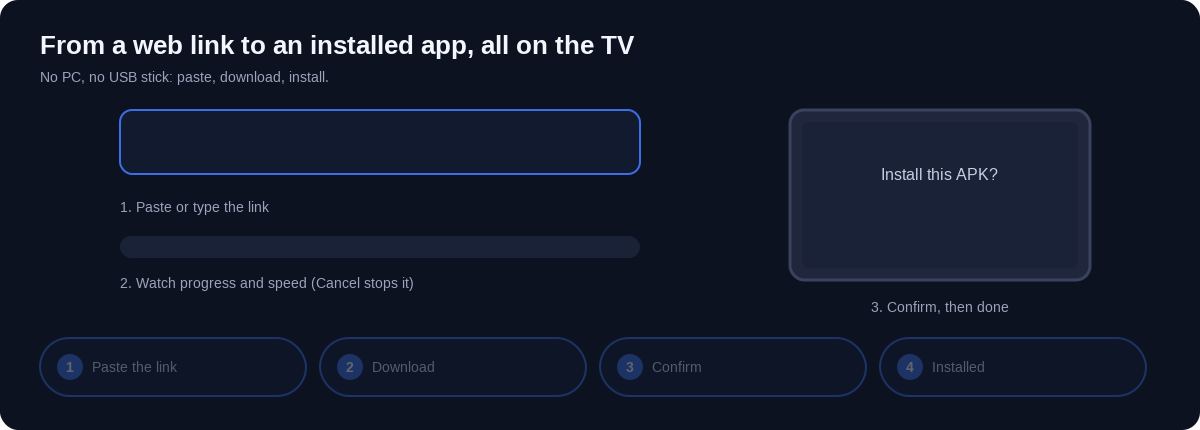
- First, get Smart TV APK Downloader from Google Play (Step 0 below).
- Install Smart TV APK Downloader from Google Play.
- Choose Download APK from URL and paste the link to the APK file.
- Wait for the download, press OK on the file, and confirm the install.
Step 0: Get Smart TV APK Downloader from Google Play first
Smart TV APK Downloader is on Google Play, so get it from the store there before you follow this guide. How you reach the store depends on your TV:
- Google TV: there is no store tile on the home screen. Press and hold the voice input button on the remote and say "open Google Play Store".
- Android TV: the Google Play Store has its own banner (tile) on the home screen. Open it.
- In the store, use the search box and type the full app name: "Smart TV APK Downloader". Open the app made by Cloud Curry Studio, then get it from Google Play.
When it is installed, open it and carry on with the steps below.
Before you start
- A device that runs Android. This works on Google TV, Android TV and TV boxes. Samsung (Tizen) and LG (webOS) smart TVs do not run APK files, so no downloader can fix that.
- A direct link. It should end at the file itself, such as
.apk,.apks,.xapkor.apkm, not at a web page about the file. - A trusted source. Prefer the developer's own site. Be wary of download pages stuffed with ads.
Step by step
1. Open the downloader
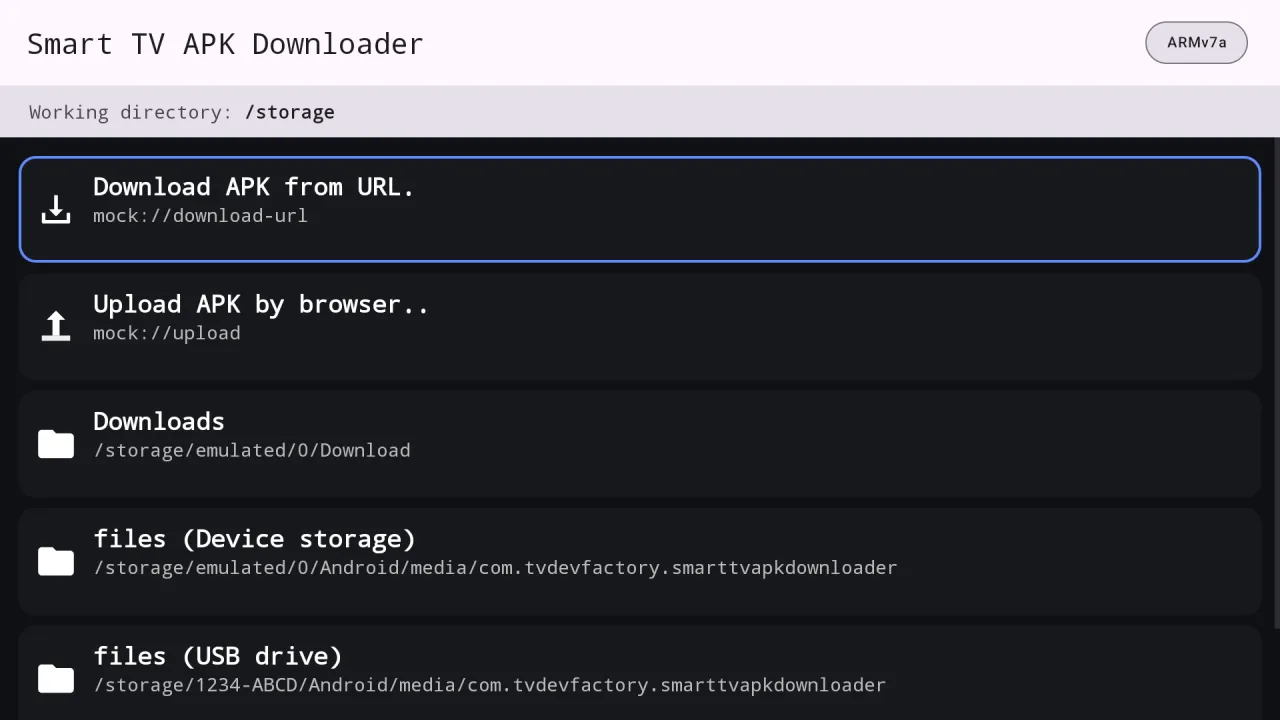
Install Smart TV APK Downloader from Google Play and open it. The first row on the home screen is Download APK from URL.
2. Paste the link
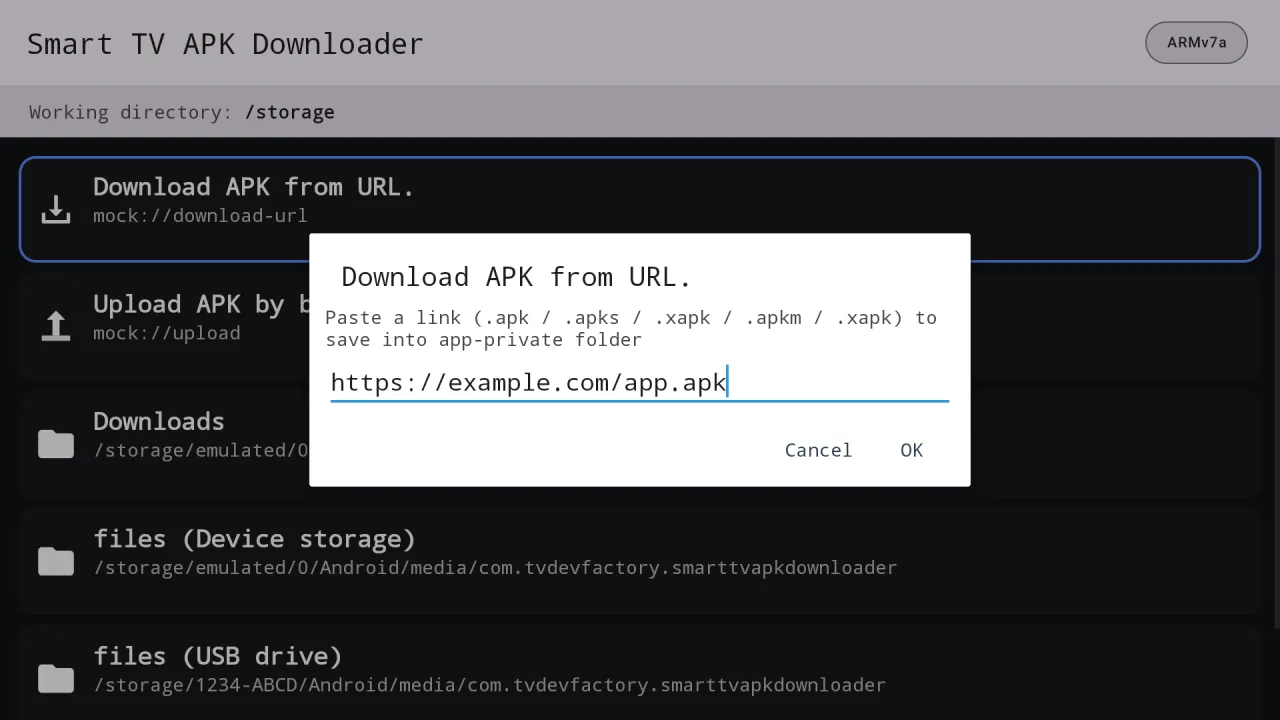
Press OK on the first row and enter the web address. Typing with a TV remote is slow, so use a short link, or type from your phone: the phone remote apps for Google TV can send text to the TV.
3. Watch the download
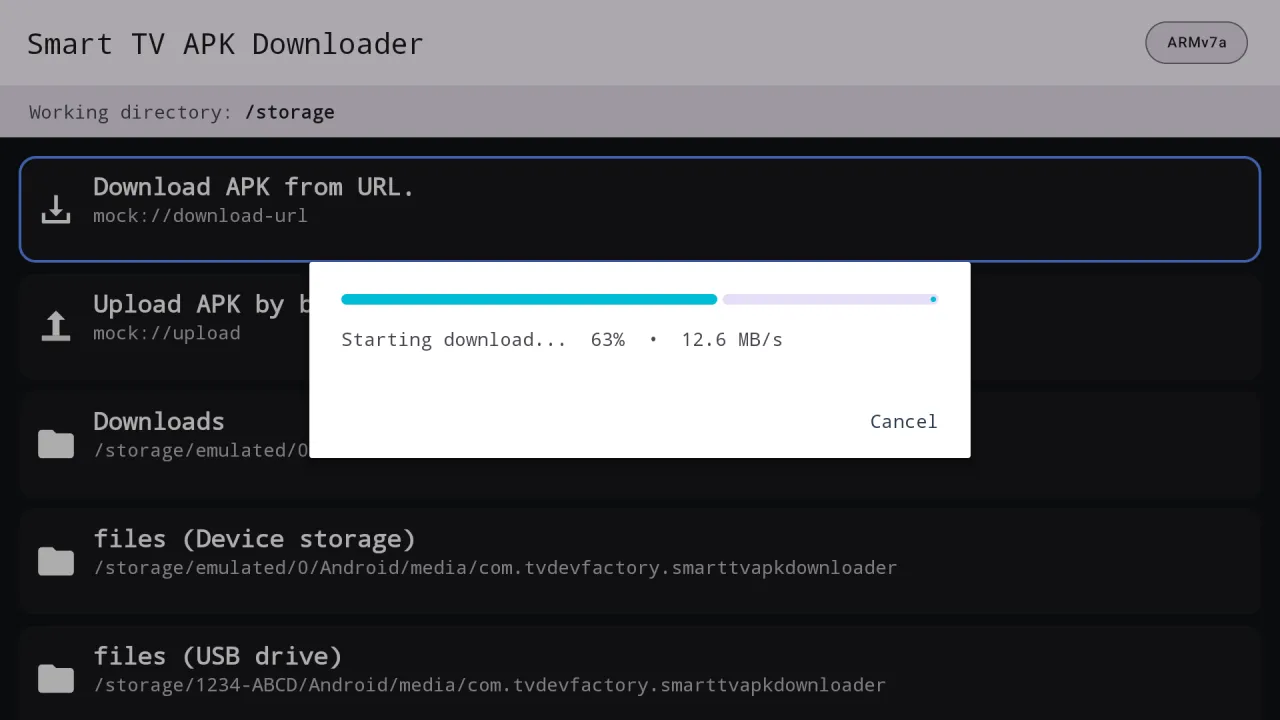
Press OK. A bar shows the percentage and the speed. Cancel stops the download and removes the half-finished file. The app follows redirects, so short links and links that bounce through another address still reach the file.
4. Allow unknown apps, then install
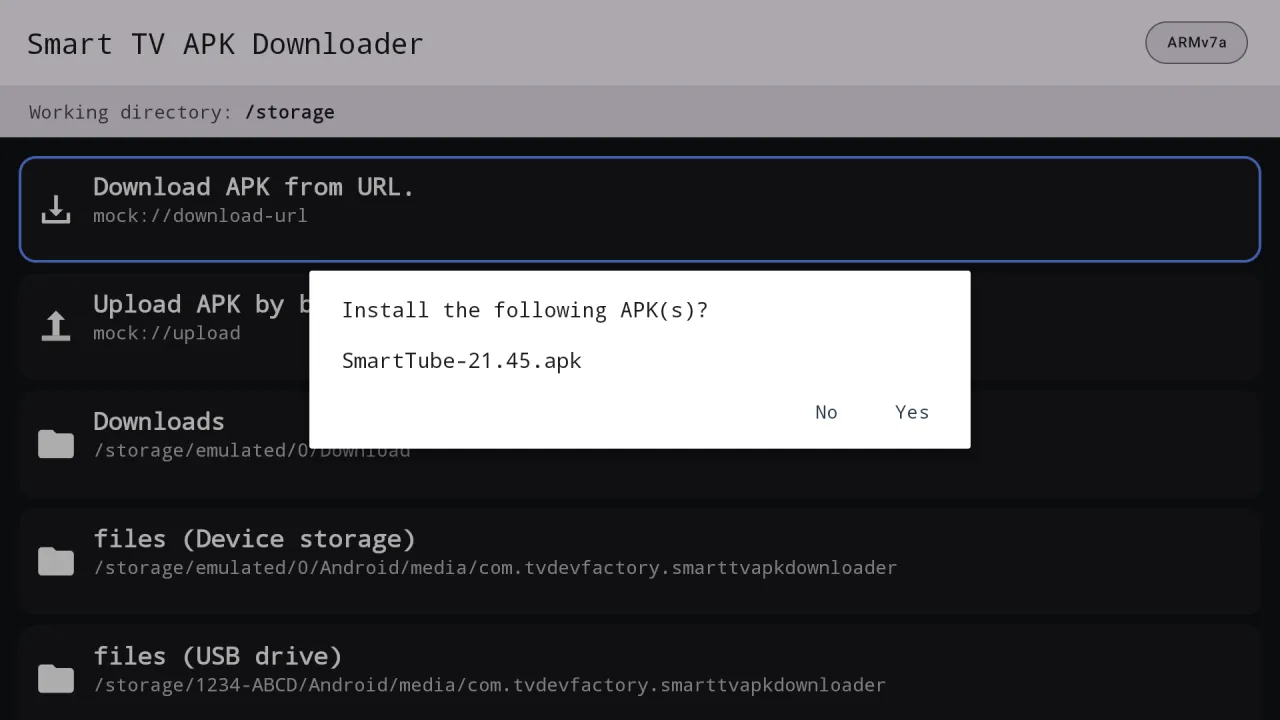
When the file appears in the list, press OK on it. The first time, Android asks you to allow this app to install other apps. Switch it on, go back, and press Yes on the confirmation.
A short message tells you whether the install worked.
Pick the right APK: most Google TV devices are ARMv7a
Many Google TV devices run on a 32-bit ARM processor, shown as ARMv7a (also written armeabi-v7a). Newer or high-end boxes can be 64-bit, so check yours. If you download the wrong architecture, the install fails or the app refuses to run. When a download page offers several builds, choose the armeabi-v7a (or "universal") one, and check the processor of your own device first. Smart TV APK Downloader shows your CPU type in a small badge at the top right of the screen, so you can read it right on the TV.
When the download fails
| Message | What it means | What to do |
|---|---|---|
| Invalid or unsupported URL | The link does not start with http or https | Add https:// in front |
| Download failed: 404 | The link is dead | Find a fresh link on the developer's site |
| Download failed: 403 | The site refuses downloads from other places, or wants a login | Use another source, or download elsewhere and upload from your phone |
| Certificate or secure connection error | The site's security is misconfigured | Try a different source |
| The file ends in .zip or .bin | The server did not give a proper name | Download with a browser, rename it, and upload it by browser |
| Install fails after download | The file is damaged or not an APK | Download it again from the source |
Two more tips: if you really need a file from a phone or PC, the same app shows a QR code for uploading it from a browser, and it installs APKs from a USB drive too. See how to install from a USB drive.
Staying safe
An APK from a link is only as safe as its source. Check the address before you press OK, avoid sites that bury the real download link under ads, and remember that Android asks you to confirm every install. After you are done, you can switch "Install unknown apps" off for the installer in Android settings.
Bottom line
You do not need a computer to sideload an app. With a direct link, a remote and Smart TV APK Downloader, the TV downloads and installs the file itself, with progress, speed and a Cancel button. If you also need to see APKs that other apps saved to the Downloads folder, VxAPK adds all files access.
Frequently asked questions
Where do I get Smart TV APK Downloader and how do I find the Google Play Store on Google TV?
Get it from Google Play. On Google TV there is no store tile: press and hold the voice input button on the remote, say "open Google Play Store", then search the full name "Smart TV APK Downloader". On Android TV, open the Google Play Store banner on the home screen.
Which APK should I download for Google TV, ARMv7a or ARM64?
Most Google TV devices run a 32-bit ARM build called ARMv7a (armeabi-v7a), so choose that version, or a universal build. Check your device first, because the wrong architecture will not install or run. The installer shows your CPU type on screen.
How do I open the Google Play Store on Google TV by voice?
Press and hold the voice input button on the remote and say "open Google Play Store". Then type the exact app name in the search box. The store installs the correct build for your device.
How do I install an APK on Google TV without a computer?
Install Smart TV APK Downloader from Google Play, choose "Download APK from URL", paste the APK link and press OK. When the download finishes, open the file and confirm the install. Allow unknown apps for the app the first time.
Can I install an APK from a link on Google TV?
Yes. A downloader app fetches the file on the TV itself and hands it to Android to install. You need a direct link that ends at the APK file.
How do I type a long link with a TV remote?
Use the phone keyboard. Many Google TV remotes in a phone app can type text into the TV, so you can paste the link there. Short links also help.
Why does the download fail with 403 or 404?
A 404 means the link is dead. A 403 means the site refuses the request, often because it blocks downloads from other sites or needs a login. Try another source or upload the file from your phone.
Does this work on a Samsung or LG smart TV?
No. Samsung (Tizen) and LG (webOS) TVs do not run Android APK files. It works on Google TV, Android TV and TV boxes that run Android.
Where does the downloaded APK go?
Into the app's own folder, which appears in the app's list automatically, so you do not need to hunt for it. Press OK on the file to install.
Is it safe to install an APK from a link?
Only if you trust the source. Use the developer's own site or a reputable mirror, do not follow ad-filled download pages, and keep unknown-app permission on only for the installer you use.
Download and install APKs on the TV itself
Smart TV APK Downloader for Google TV: paste a link, watch the progress, install. Also installs from USB and phone upload.