APK Not Showing in the Downloads Folder on Google TV? Why It Is Hidden and How to Fix It
Downloaded an APK on Google TV but your installer cannot see it? Android 11+ hides other apps' files. Why it happens and four ways to fix it.
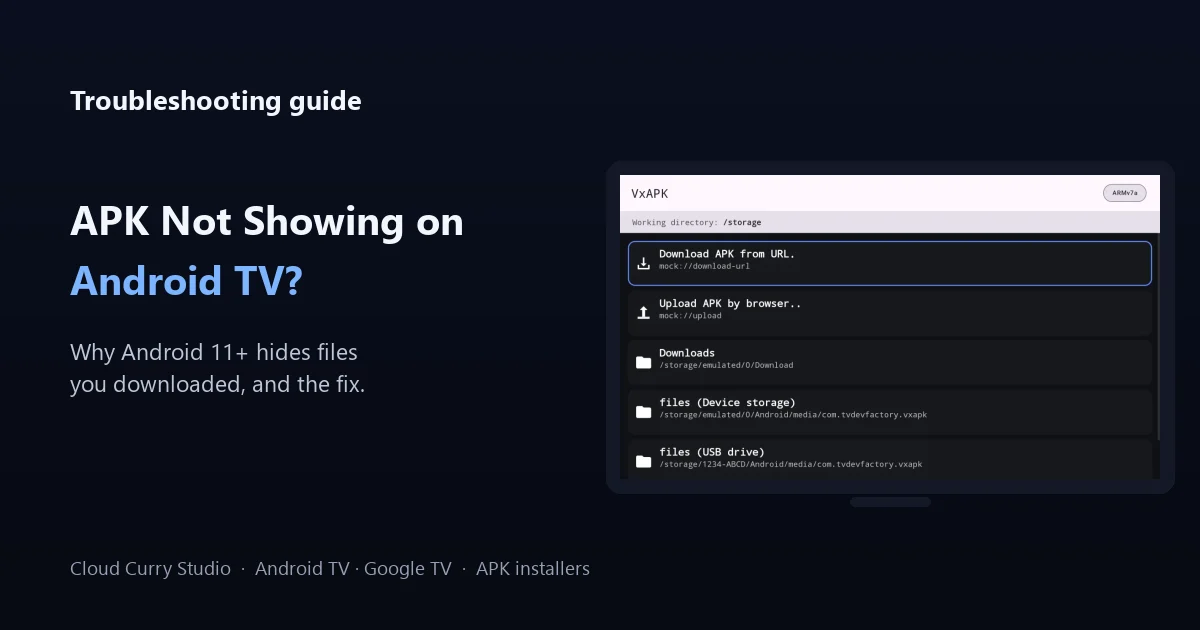
You downloaded an APK on your Google TV, opened your installer, and the file is simply not there. It is not a bug and your download did not fail. This guide explains why an APK does not show in the Downloads folder on Google TV, and four ways to fix it.
Quick answer
- Since Android 11, an app sees only its own files plus the folders Android allows. A file another app saved to Downloads can be invisible to your installer.
- Fix it by letting the file reach the installer another way (upload or USB), or by giving an installer all files access.
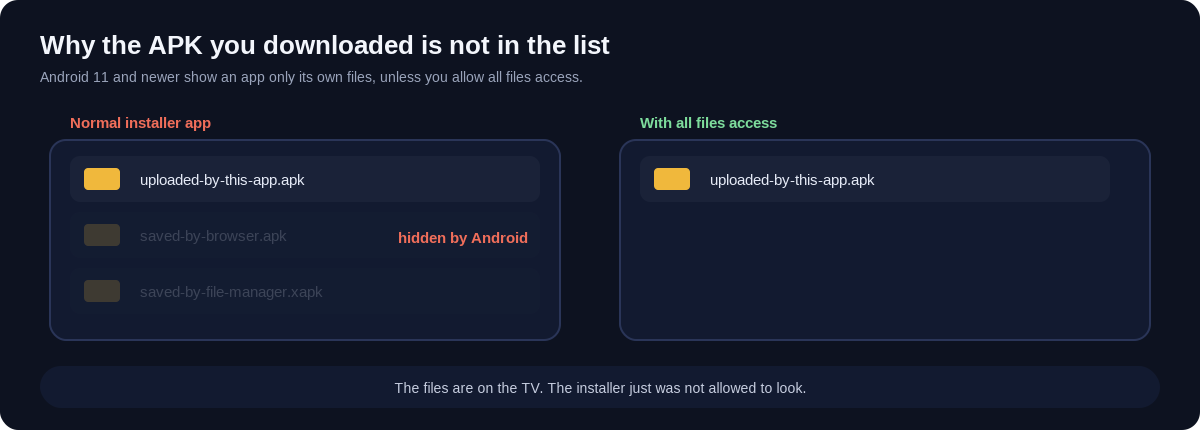
Why the file is hidden
Android 11 tightened what is called scoped storage. Google's own documentation describes apps being limited to their own app-specific files and the shared media collections, and says that to read and write across shared storage an app needs the special All files access permission. That permission is meant for apps whose core use case requires broad access to files on the device.
So the chain is: your browser saves app.apk to Downloads, but your installer is a different app, so Android shows it only what that installer created itself. The file is on the TV. The installer just is not allowed to look. Our own installers say this plainly on first launch.
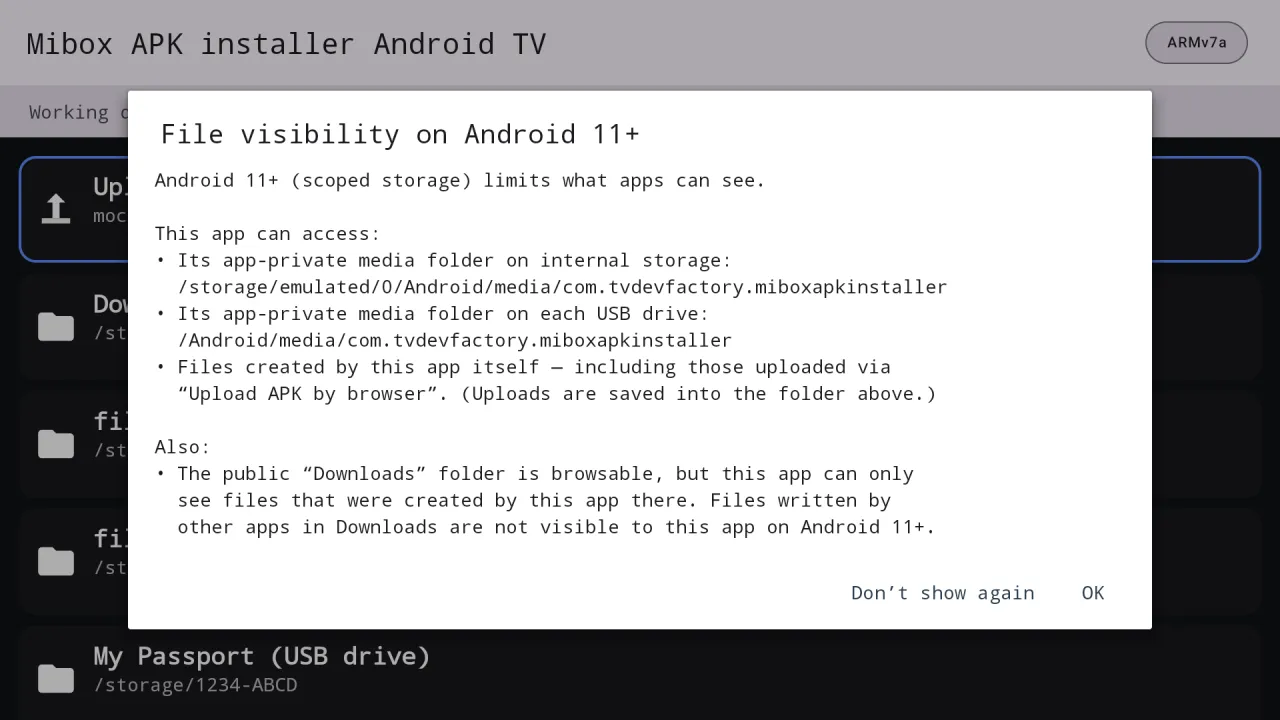
File managers run into the same wall. Users on forums report that many file manager apps on Google TV and Fire TV cannot reach files in other apps' folders, and that the Android/data folders of other apps stay closed even with broad access. That is why a different file manager is not always the answer.
Where to get the installers
Mibox APK Installer and Smart TV APK Downloader are on Google Play, so get them from the store first. On Google TV there is no store tile: press and hold the voice input button on the remote, say "open Google Play Store", then search the full app name, for example "Mibox APK Installer". On Android TV, open the Google Play Store banner on the home screen. VxAPK is different: it is distributed on Patreon and set up with GTV-toolkit, as described below.
Four ways to fix it
| Fix | How | Needs permission? |
|---|---|---|
| 1. Install from where it was downloaded | Open the file from the app that downloaded it, if that app offers an install button | No |
| 2. Upload it to the installer | Open the installer's browser upload, scan the QR code on your phone and send the file | No |
| 3. Move it with a USB drive | Put the APK on a drive and browse the drive in the installer | No |
| 4. Use an installer with all files access | Allow the permission once and the Downloads folder shows APKs saved by other apps | Yes, a special one |
Options 2 and 3 are what Mibox APK Installer and Smart TV APK Downloader rely on, and both deliberately avoid the broad permission. Smart TV APK Downloader can also download a file from its link directly into a folder it can see.
Option 4: VxAPK and all files access
VxAPK is the installer in the family that asks for all files access. On first start it explains why and sends you to the Android setting.
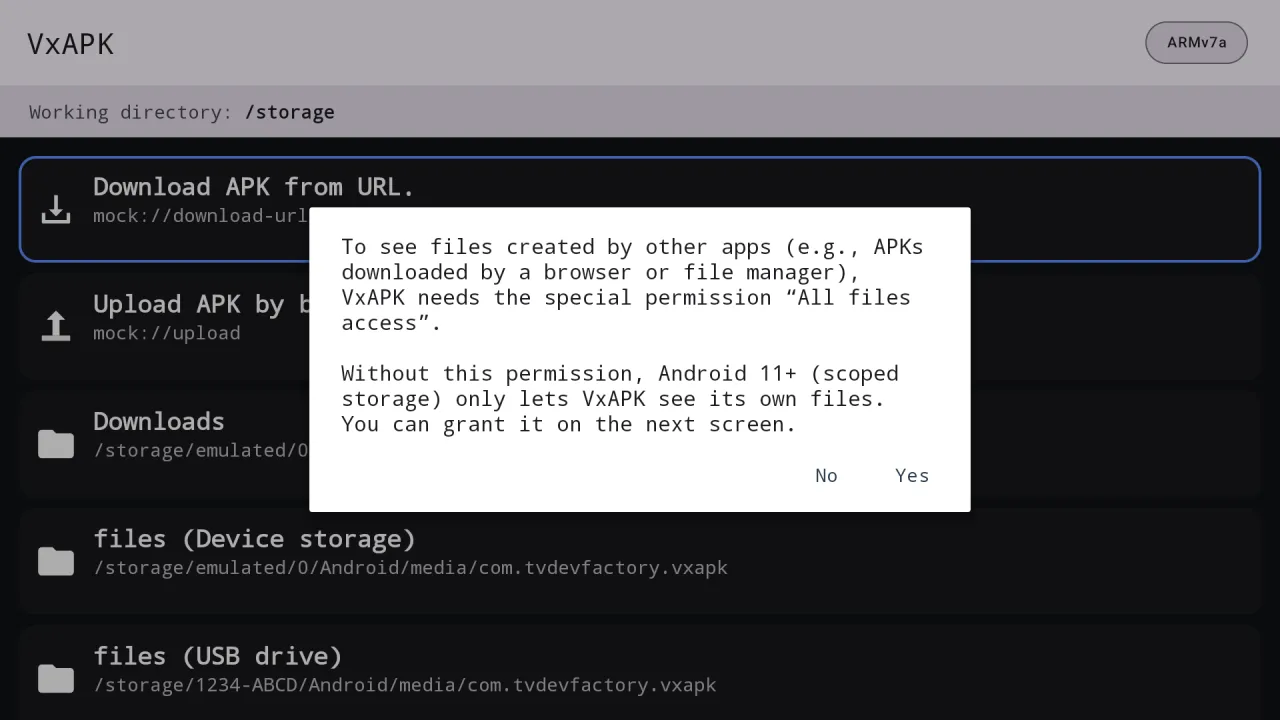
- Choose Yes and switch on the permission for VxAPK in Android settings.
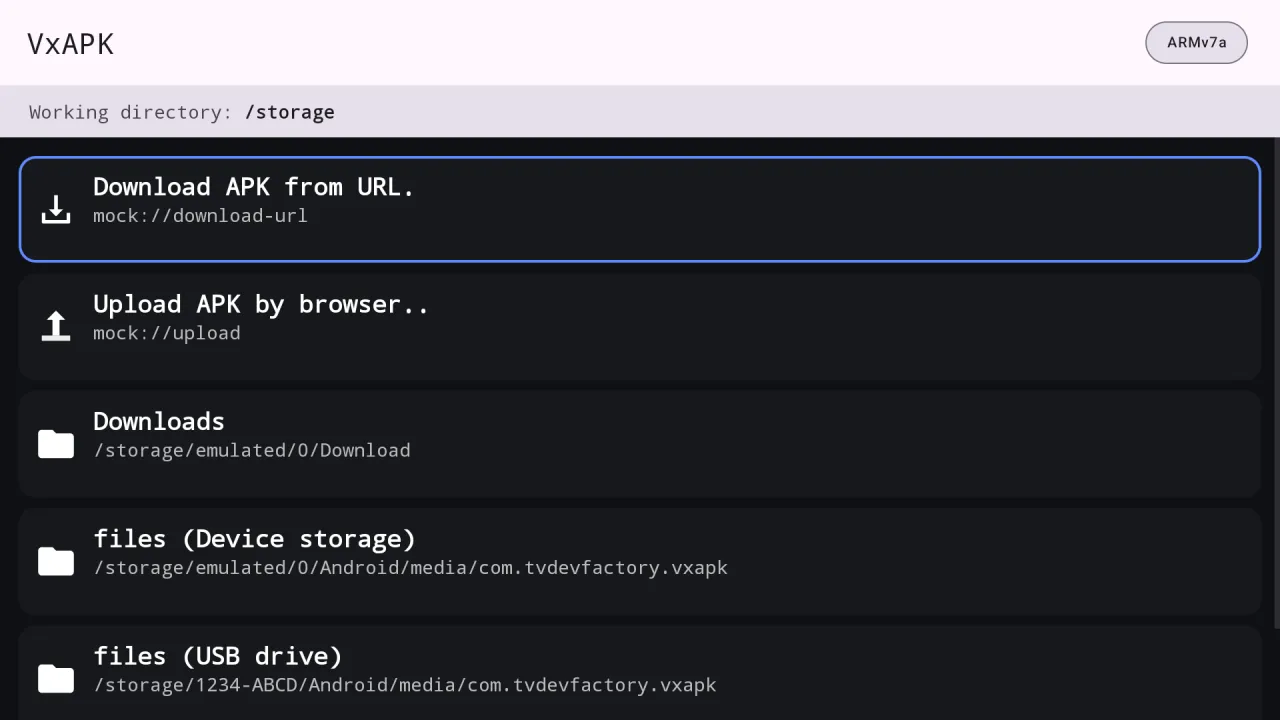
- Go back to the app. The home screen lists device storage, Downloads, USB drives, browser upload and download from a link.
- Open Downloads. APKs saved by your browser or another app now appear.
- Press OK on one and confirm the install. Bundles (.xapk, .apks, .apkm) install all their parts together.
VxAPK is a licensed app, distributed to supporters on Patreon and set up with GTV-toolkit on a Windows PC. If it opens with a "License required" message, install it through GTV-toolkit.
Pick the right APK: most Google TV devices are ARMv7a
Many Google TV devices run on a 32-bit ARM processor, shown as ARMv7a (also written armeabi-v7a). Newer or high-end boxes can be 64-bit, so check yours. If you download the wrong architecture, the install fails or the app refuses to run. When a download page offers several builds, choose the armeabi-v7a (or "universal") one, and check the processor of your own device first. VxAPK shows your CPU type in a small badge at the top right of the screen, so you can read it right on the TV.
Is all files access safe?
It gives an app wide reach, so treat it the way you would any powerful setting: grant it only to an app you trust and actually need, and remember it lives in Android settings where you can switch it off whenever you like. If you only install an APK now and then, the USB or phone upload route needs no special permission at all.
Quick checklist when an APK will not show
- Are you on Android 11 or newer? If yes, expect hidden files.
- Did the file come from a browser or other app, not from your installer? That is the usual cause.
- Try the upload or USB route first.
- Need to see all downloaded APKs? Use an installer with all files access.
- Still no luck? Check that the file really is an APK, a bundle, or a type your installer lists.
Bottom line
A missing APK is almost never lost. Android is showing each app only what it is allowed to see. Send the file to the installer, carry it on a drive, or grant VxAPK all files access when you want one list of everything, and your app installs without the mystery.
Frequently asked questions
Where do I get Mibox APK Installer and how do I find the Google Play Store on Google TV?
Get it from Google Play. On Google TV there is no store tile: press and hold the voice input button on the remote, say "open Google Play Store", then search the full name "Mibox APK Installer". On Android TV, open the Google Play Store banner on the home screen.
Which APK should I download for Google TV, ARMv7a or ARM64?
Most Google TV devices run a 32-bit ARM build called ARMv7a (armeabi-v7a), so choose that version, or a universal build. Check your device first, because the wrong architecture will not install or run. The installer shows your CPU type on screen.
How do I open the Google Play Store on Google TV by voice?
Press and hold the voice input button on the remote and say "open Google Play Store". Then type the exact app name in the search box. The store installs the correct build for your device.
Why can I not see the APK I downloaded on Google TV?
On Android 11 and newer, an app can only see its own files and the shared folders Android allows. A file that a browser or another app saved to Downloads can be hidden from your installer, even though it is on the TV.
How do I see all APK files on Google TV?
Use an installer that has the "all files access" permission, such as VxAPK. Allow it in Android settings and the Downloads folder lists APKs saved by other apps.
What is all files access?
A special Android permission, called All files access, for apps whose core purpose needs broad access to files on the device. You grant it per app in settings and can turn it off at any time.
Is it safe to give an app all files access?
It gives the app wide reach, so only grant it to an app you trust and need for the job. If you only install a file now and then, a USB drive or a phone upload avoids the permission entirely.
Can I install the APK without all files access?
Yes. Upload the file to the installer from your phone with its QR code, put it on a USB drive, or paste its link into an installer that downloads files itself.
Why does a file manager also fail to show the file?
Many TV file managers run into the same Android storage rules, and none of them can open the Android/data folders of other apps even with broad access. Forum users report the same problem on Google TV and Fire TV.
Does VxAPK install XAPK, APKS and APKM bundles?
Yes. It reads .xapk, .apks, .apkm and .apk+ files, lists the parts inside and installs them together.
See every APK on your TV
VxAPK for Google TV: all files access, download from a link, split bundles and phone upload. Distributed to supporters on Patreon.