JPEG
Ordinary photos. Ultra HDR JPEGs are detected and combined with their gain map.
Turn your photos into real HDR on Google TV.
The Toolkit converts still photos into HDR10 MKV files on your Windows PC, one file per photo. Play them with VxGallery HDR on Google TV and your photos finally light up with HDR highlights instead of being flattened to SDR.
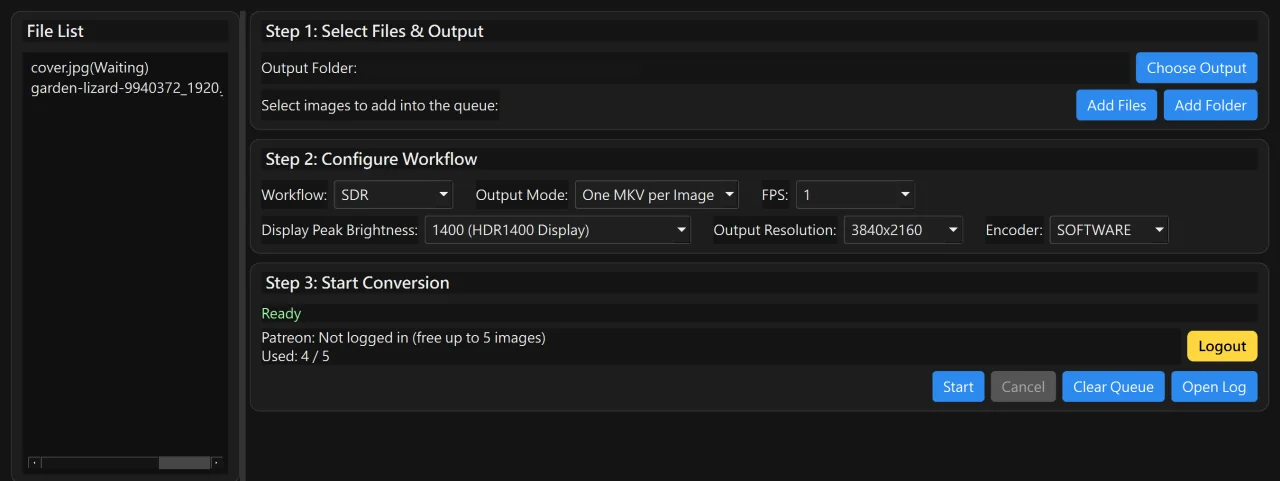
One app makes the HDR file on your PC. The other shows it on your TV.
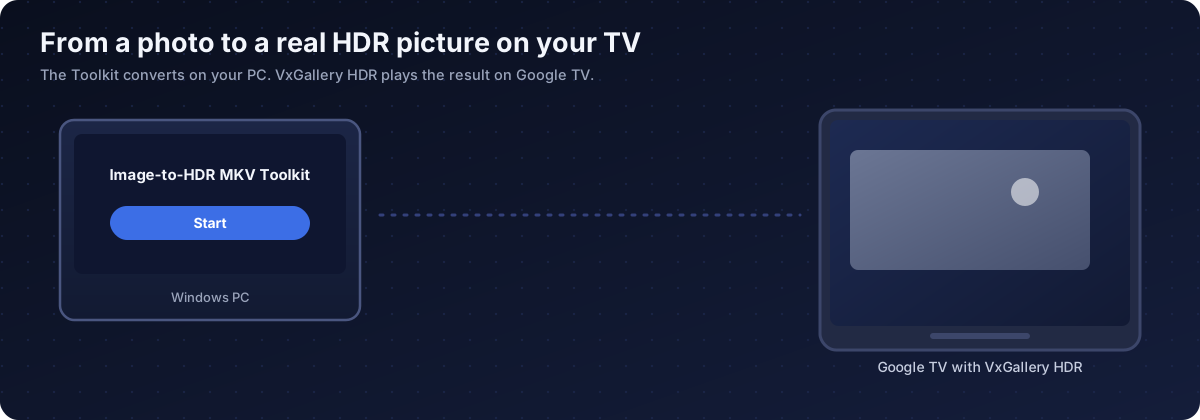
Add photos to the Toolkit and press Start. Each photo becomes an HDR10 MKV with an img_hdr_ name.
Copy the files with a USB drive, a network share, Dropbox or the Upload files page of VxGallery HDR.
VxGallery HDR plays them on an HDR surface and shows the 4K HDR badge. Slideshow and remote controls included.
VxGallery HDR is installed on your Google TV with GTV-toolkit. Both are on Patreon.
Four reasons.
Google TV plays HDR video well but often cannot show HDR still images. The Toolkit turns each photo into a one-frame HDR10 video that the TV treats as HDR.
Output files are the HDR photo containers that VxGallery HDR plays on its HDR surface, with the 4K HDR badge in the library.
Queue a whole folder, press Start, and get one MKV per photo, each with its own cover thumbnail.
Ordinary and Ultra HDR JPEG, iPhone HEIC, Windows HDR screenshots (JXR), camera DNG, EXR, AVIF and Radiance HDR.
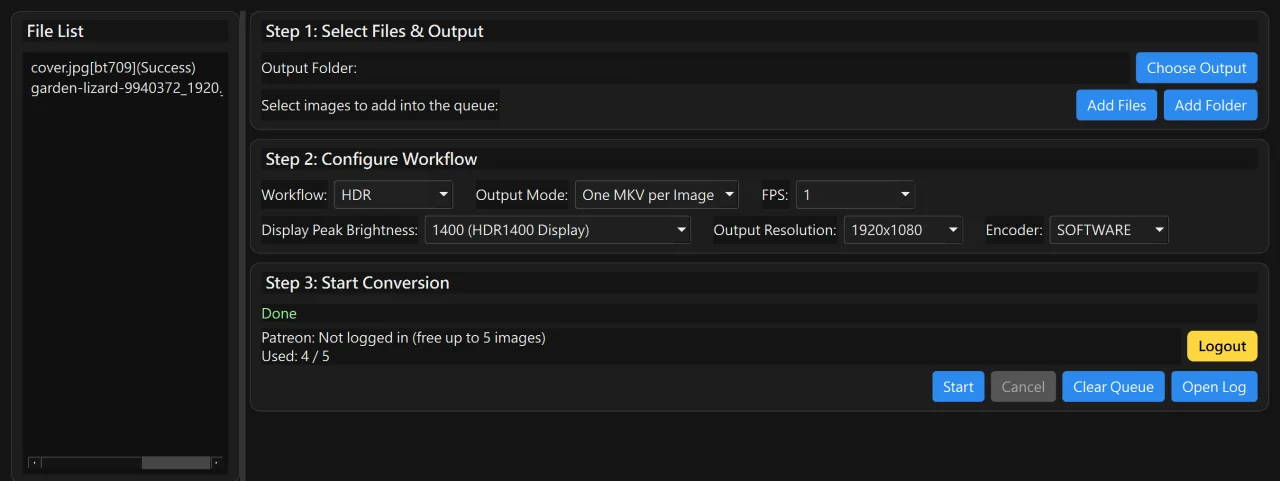
The window is laid out in the order you work.
Choose the output folder, then use Add Files or Add Folder to fill the queue.
Pick HDR or SDR, the peak brightness, 1080p or 4K and the encoder.
Press Start. Each file shows Success or Failed and the status line ends on Done.
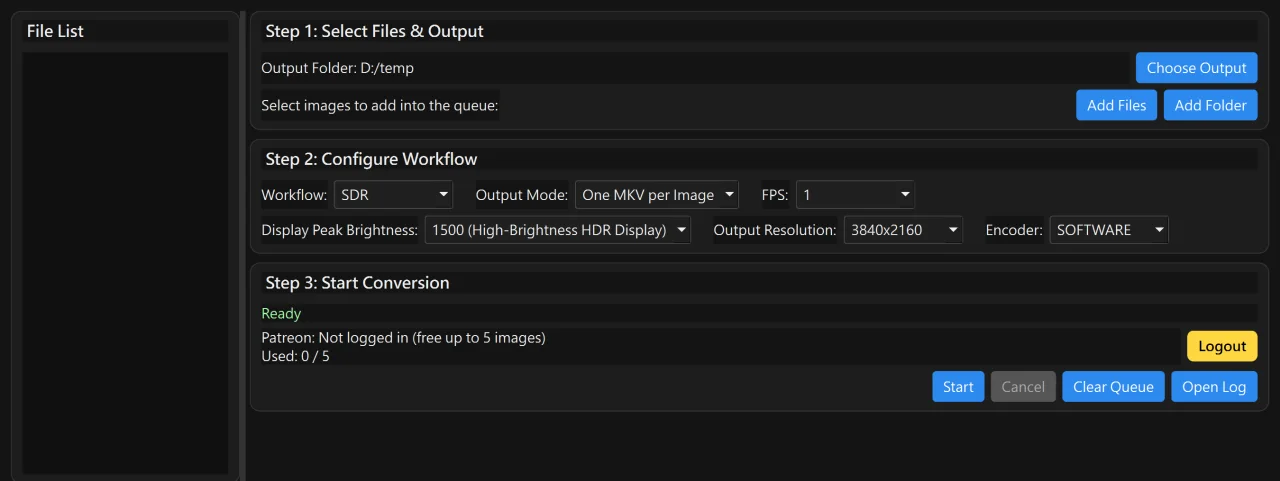
The HDR10 peak tells the TV how bright the highlights may get.
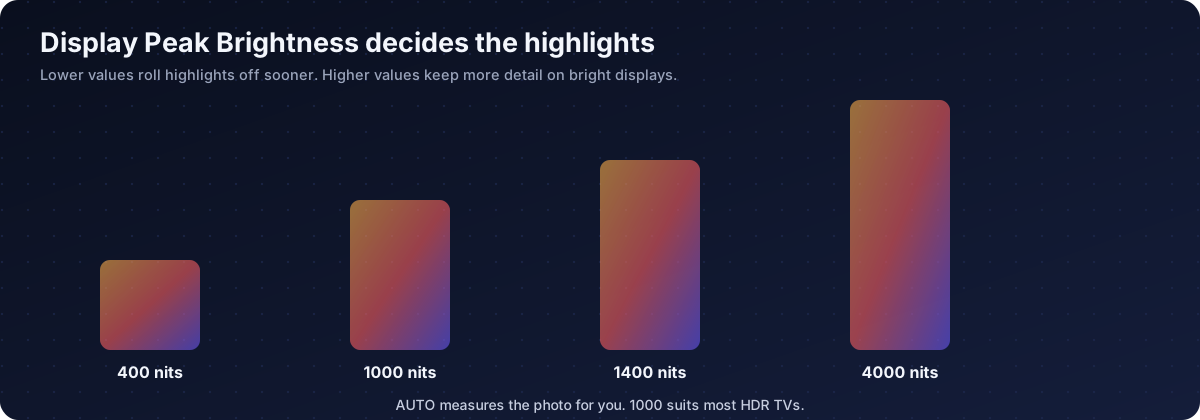
AUTO estimates the peak from the photo itself. If a result looks too dark, try AUTO or a higher value.
Seven kinds of source photos.
Ordinary photos. Ultra HDR JPEGs are detected and combined with their gain map.
iPhone HDR photos, using the gain map.
Windows HDR screenshots.
Camera raw files, developed with automatic white balance.
Linear HDR masters.
HDR still images.
Radiance files.
Everything it does, in plain language.
H.265 10-bit MKV with BT.2020 and PQ plus mastering-display and light-level values.
A single-frame SDR MKV for previews and TVs without HDR.
Every photo becomes its own file with a 512x512 cover.
AUTO, 400, 500, 600, 1000, 1400, 1500, 2000 or 4000 nits.
Choose 1920x1080 or 3840x2160. Never above 4K.
Software, NVIDIA, AMD or Intel encoding. Software gives the best quality, GPUs are faster.
Add files or a whole folder, see per-file status, cancel after the current file.
A readable thumbnail is attached so galleries show a good preview.
English and Traditional Chinese, switchable in the window.
A desktop program for Windows 10 and 11 with the encoder bundled.
Try it on 5 images. A Patreon membership unlocks unlimited conversions.
The Image-to-HDR MKV Toolkit has its own post on the Cloud Curry Studio Patreon page.
No installer. Unpack it and start the program on Windows 10 or 11.
Press Login / Patreon in Step 3 and approve in your browser. The app unlocks by itself.
Captured on Windows.
A Windows app that converts still photos into HDR10 MKV files, one file per photo. The files play as HDR video, which is the reliable way to show HDR photos on Google TV.
The Toolkit makes the HDR photo containers on your PC. VxGallery HDR plays them on your Google TV through an HDR video surface and shows a 4K HDR badge. The files are named with the img_hdr_ prefix that VxGallery HDR recognises, so keep the names unchanged and copy them to a USB drive, a network share or Dropbox that VxGallery HDR browses.
No. The MKV files are standard HDR10 video and play in any player that supports HDR10. VxGallery HDR is built to browse and show them as photos, with a slideshow and remote-friendly controls.
Google TV describes HDR video and HDR still images separately, and many TV displays support the video path but not the still-image path. A photo shown the normal way is rendered as SDR and loses its highlights. See the blog guide on why Google TV cannot show HDR photos.
It is on Patreon. Open the Image-to-HDR MKV Toolkit post on the Cloud Curry Studio Patreon page and download it. VxGallery HDR is installed with GTV-toolkit, which is also on Patreon.
You can convert 5 images to try it. A Patreon membership unlocks unlimited conversions.
Press Login / Patreon in Step 3, approve the request in your browser, and the app switches to full features on its own. No code needs to be copied.
JPEG including Ultra HDR, HEIC from iPhone, JXR, DNG, EXR, AVIF and Radiance HDR files.
Start with AUTO. It estimates the peak from the photo. Use 1000 for most HDR TVs, and higher values for very bright displays. A lower value rolls highlights off sooner.
Software gives the best quality and is the default. NVIDIA, AMD and Intel encoders are much faster. If a GPU encoder fails with 10-bit HDR, switch back to Software.
Choose 1920x1080 or 3840x2160. The result never exceeds 4K.
The selected peak is probably too low for the photo. Try AUTO or a higher value.
The licence check runs at start-up and can take a few seconds. It continues on its own.
Windows 10 and Windows 11, 64-bit.
Image-to-HDR MKV Toolkit for Windows, built to play in VxGallery HDR on Google TV.