How to Sideload Apps on Google TV from a PC (3 Easy Ways)
Want to install an APK on Google TV or Android TV from your computer? 3 easy ways, what to fix when the app does not appear, and how to change the launcher.
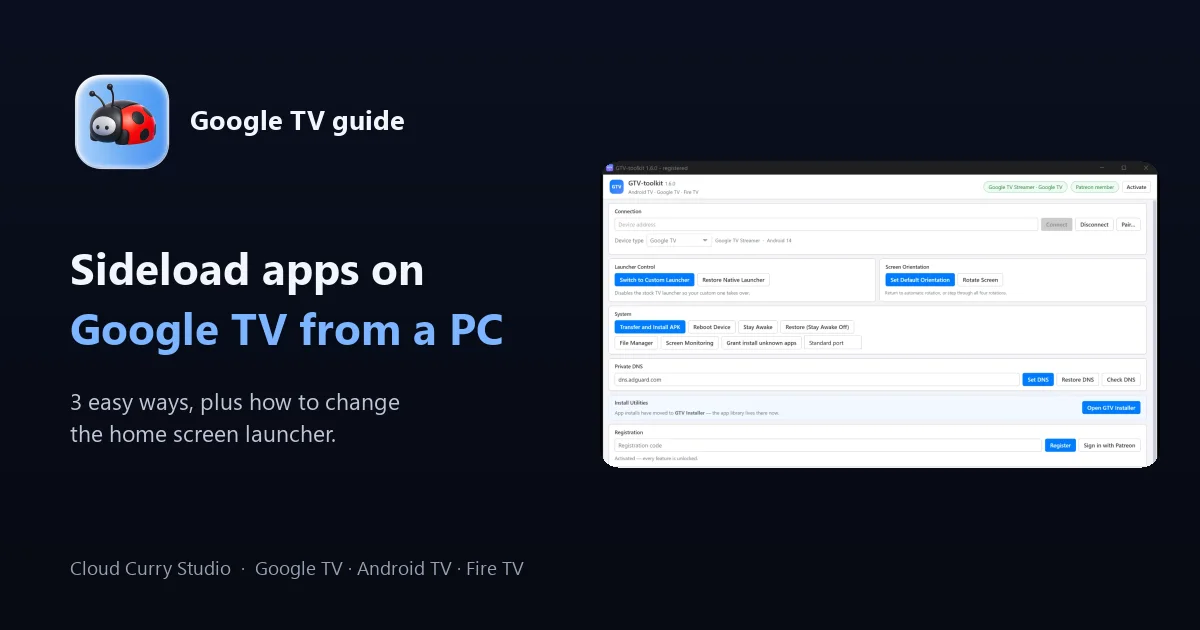
Google TV and Android TV have fewer apps in the store than a phone, and the one you want is often just an APK file on your computer. Installing it ("sideloading") is easy once you know the order of the steps. This guide shows three ways to sideload apps on Google TV from a PC, what to do when the app does not appear, and how to change the home screen launcher.
Quick answer
- Allow installs from unknown sources on the TV.
- Get the APK onto the TV: USB drive, downloader app, or a PC tool.
- Open the app from Settings > Apps > See all apps if it is not on the home screen.
| Method | Needs a PC | Best for |
|---|---|---|
| 1. USB drive and file manager | Yes, once | One or two apps, no setup |
| 2. Downloader app on the TV | No | Apps with a direct download link |
| 3. PC tool over Wi-Fi or USB | Yes | Installing often, bundles and bulk |
Step 0: Prepare the TV
- Developer options (only for the PC tool in Method 3). Go to Settings > System > About and select the Build entry seven times. Then open Settings > System > Developer options and turn on the option for connecting from a PC (labelled USB debugging, or Wireless debugging for Wi-Fi on newer versions).
- Allow unknown sources. Go to Settings > Apps > Security & restrictions > Unknown sources and turn it on for the app you will install from (for example your file manager or Downloader). The path differs slightly between TV models.
- Use the same Wi-Fi. For Wi-Fi methods the TV and PC must be on the same network.
Method 1: Copy the APK with a USB drive
- Copy the APK to a USB flash drive on your PC.
- Plug the drive into the TV, or into a USB hub if your box only has a USB-C port.
- Install a file manager on the TV (a TV-friendly one from the Play Store) and allow it to install apps.
- Open the drive in the file manager, select the APK and choose Install.
Good for: a single app. Limits: multi-file bundles (XAPK, split APKs) usually will not install with a simple tap.
Method 2: Use a downloader app on the TV
- Install a downloader app such as Downloader from the TV Play Store and allow it to install unknown apps.
- Type the APK link or the short code the developer gives you.
- Let it download, then select Install.
Good for: when the developer publishes a direct link. Limits: typing long addresses with the TV remote is slow, and there is no help if the link is not a direct download.
Method 3: Install from your PC with GTV-toolkit
If you sideload regularly, a PC tool removes the typing and the USB shuffle. GTV-toolkit is a Windows 10/11 app that connects to your Google TV, Android TV, Fire TV or Wear OS device over USB or Wi-Fi and installs from a file on your PC.
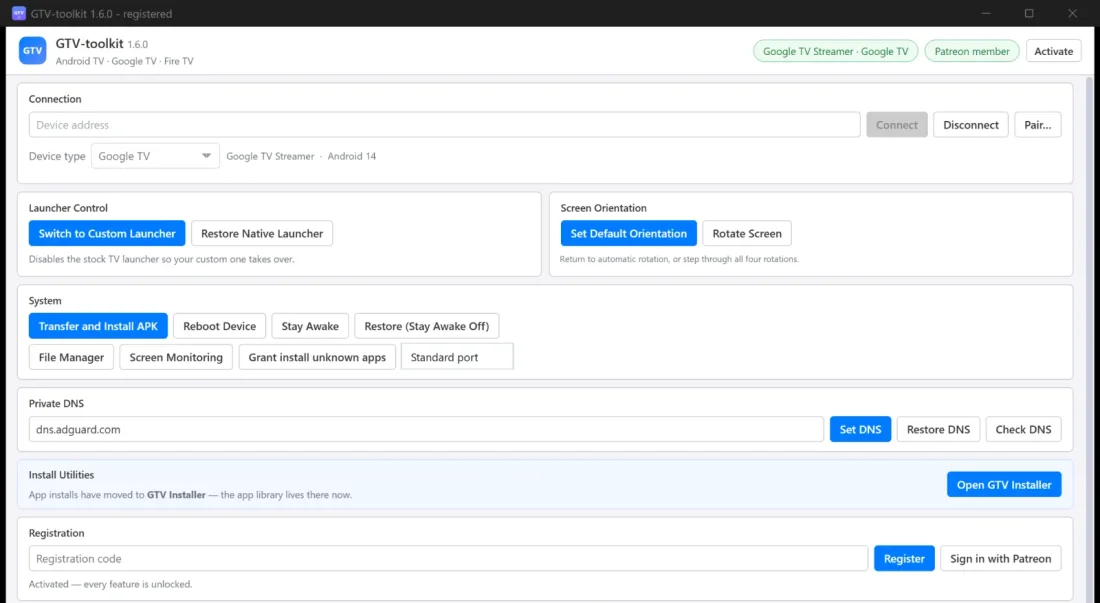
- Turn on Developer options and the PC-connection option on the TV (Step 0).
- Connect: plug in the cable, or type the TV address and click Connect. Accept the prompt on the TV if one appears. Newer TVs pair once with a six-digit code.
- In System tools, choose to install an app from a file on your PC. Multi-file bundle formats are accepted.
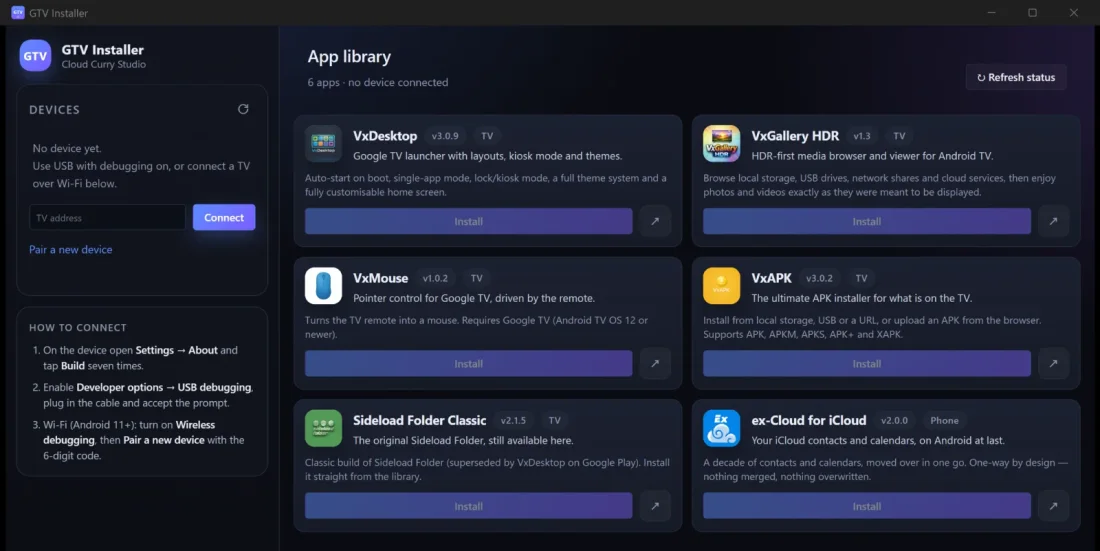
- For popular apps, open GTV Installer (it comes with GTV-toolkit): every app is a card with a one-click Install.
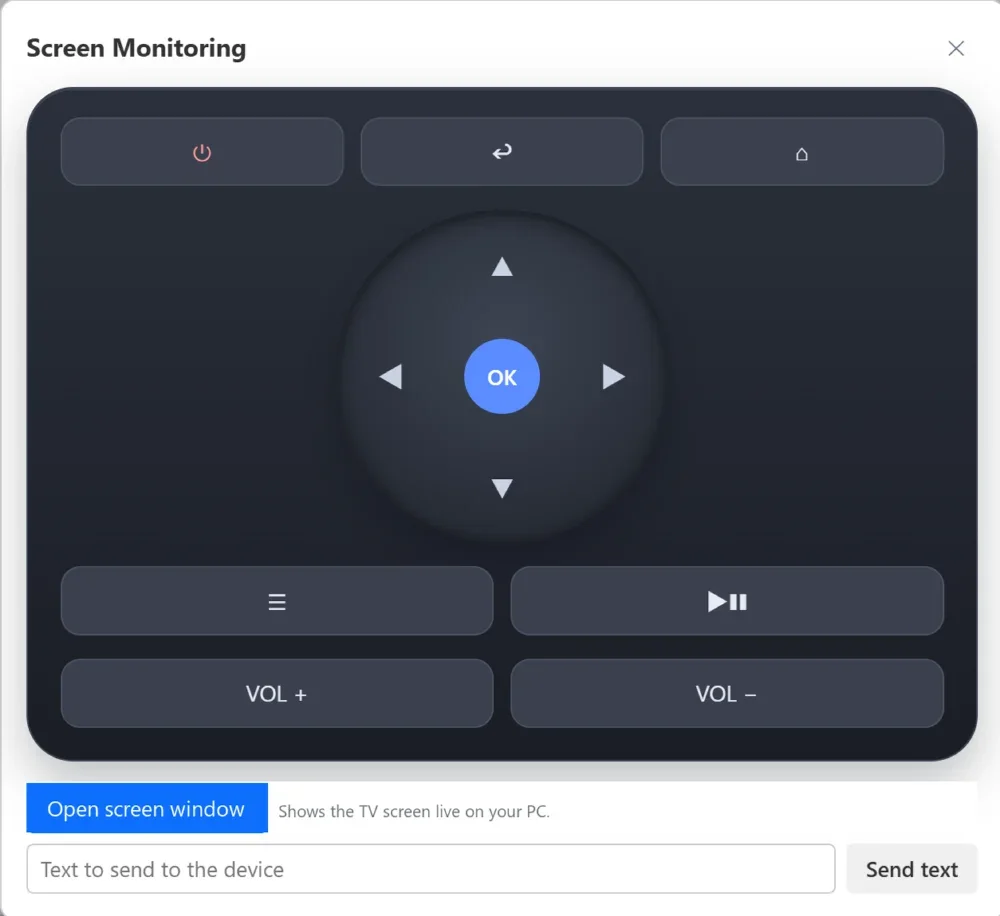
You also get a full on-screen remote, text entry (handy for passwords), a file manager for the TV storage and optional screen mirroring.
The app installed but I cannot find it
Google TV only shows apps built for TV on the home screen. A phone-style or tool app can be installed but stay hidden. To open it:
- Go to Settings > Apps > See all apps, select the app and choose Open.
- Or switch to a launcher that lists every installed app.
How to change the default launcher on Google TV
The stock home screen cannot be removed, but you can replace it:
- Install the launcher you want from the Play Store or the developer.
- Try the home screen or default apps option in Settings. On many TVs that option is missing, greyed out, or the Home button still opens Google's screen.
- If the setting does not work, use a PC tool. In GTV-toolkit, click Switch to Custom Launcher and press Home on the TV. If anything looks wrong, Restore Native Launcher brings the original screen back at any time.
Tip: install the new launcher before switching, otherwise you can end up with a blank screen. If that happens, restore the native launcher, install the custom one, then switch again.
Fix common install problems
- "App not installed" or "signatures do not match". The TV already has that app from another source. Uninstall it first (this deletes its data), then install again.
- Nothing happens when you open the APK. You have not allowed the file manager or downloader to install unknown apps.
- The TV does not appear in the PC tool. Check both are on the same Wi-Fi, the PC-connection option is on, then type the address and click Connect. If it says authentication failed, accept the prompt on the TV and try again.
- A bundle will not install. Use an installer that supports multi-file packages (GTV-toolkit, or the VxAPK app on the TV).
A short safety checklist
- Download APKs from the developer or a reputable mirror.
- Compare the version number and file size with what the developer lists.
- Turn off unknown sources for apps you no longer use to install.
Requirements for the PC tool
- PC: Windows 10 or 11, 64-bit. The WebView2 runtime is already included in Windows 11 and modern Windows 10. Nothing else to install.
- TV or box: Google TV, Android TV, Fire TV or Wear OS with the connection option turned on.
- Trial: each GTV-toolkit action can be tried once before activation, and GTV Installer lets you install one app. Windows may warn about an unsigned program the first time; click More info, then Run anyway.
The download page lists the install steps and troubleshooting, and the GTV-toolkit website has the full feature overview.
Frequently asked questions
How do I install an APK on Google TV?
Allow installs from unknown sources for the app you will use to open the file, then open the APK from a USB drive with a file manager, fetch it with a downloader app, or push it from a PC over Wi-Fi or USB.
How do I enable Developer options on Google TV?
Go to Settings > System > About, then select the Build entry seven times. Developer options then appears under Settings > System.
Where is the "install unknown apps" setting on Google TV?
It is under Settings > Apps > Security & restrictions > Unknown sources (the exact name varies by TV model and Android version). Turn it on for the app you use to open the APK.
Why does my sideloaded app not show on the Google TV home screen?
Google TV only lists apps built for TV on the home screen. Open the app from Settings > Apps > See all apps, or switch to a launcher that shows every installed app.
How do I change the default launcher on Google TV?
Install the launcher you want, then look for the home screen or default apps option in Settings. Some TVs hide or disable that option, in which case a PC tool can switch the launcher and restore the original at any time.
Can I sideload an XAPK or split APK on Google TV?
A plain file-manager tap usually installs only single-file APKs. Bundles with several parts need an installer that supports them; GTV-toolkit and the VxAPK app accept multi-file packages.
Is sideloading apps on Google TV safe?
It is as safe as the file you install. Download only from the developer or a reputable mirror, check the file size and version, and do not enable unknown sources for apps you do not need.
Install apps from your PC without the hassle
GTV-toolkit 1.6.0 and GTV Installer 1.1.0 for Windows 10/11 handle app installs, launcher switching, files and a remote in one window. Distributed through Patreon.