Browser file manager
Browse folders, see thumbnails, upload, create folders, rename, delete and download from any browser.
Your Windows PC as a private NAS.
VxNAS FileVault shares your folders from a Windows PC through a browser file manager, a WebDAV network drive, FTP, SFTP and an AI assistant interface, with separate rights for every user. Run it as a Windows service and it is always there.
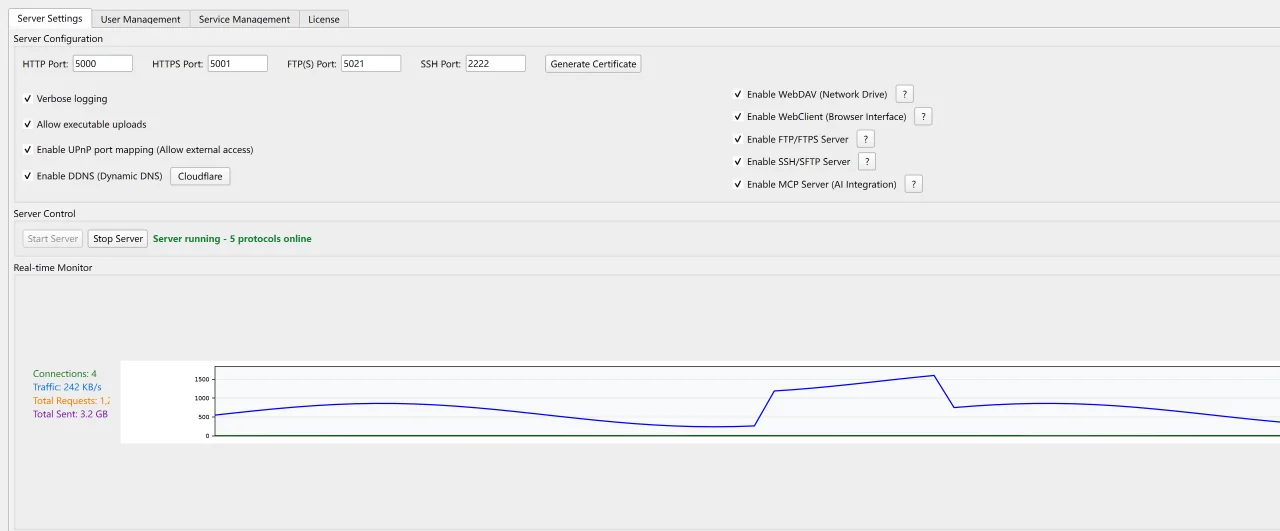
Your own server, on your own PC.
Share folders from a Windows PC with a NAS-style interface. No extra hardware and no monthly cloud fee.
Use a browser, a mapped network drive, FTP or SFTP clients, TV and media players that speak these protocols, or an AI assistant.
Each account has its own shares and its own read, write and delete rights, with optional IP rules.
Run it as a Windows service that starts with Windows and does not need anyone logged in.
Pick the client that suits the device. They all use the same users and permissions.
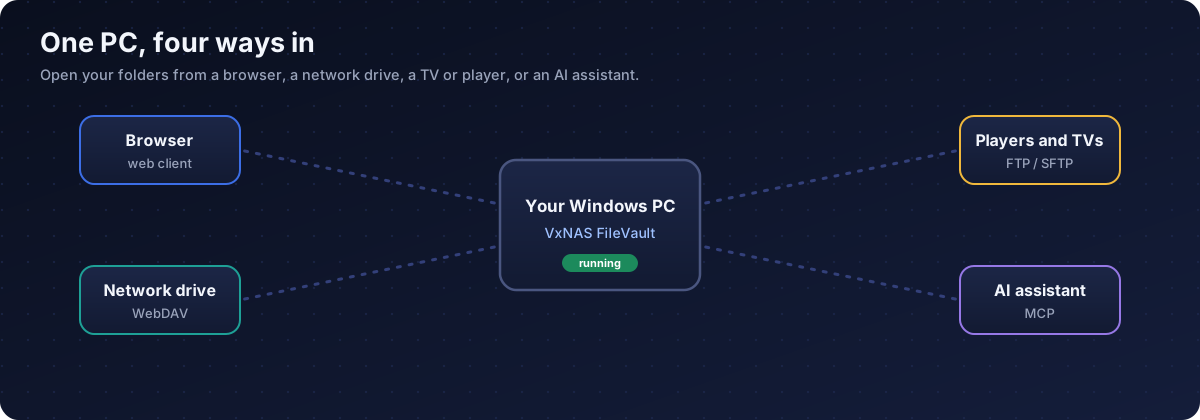
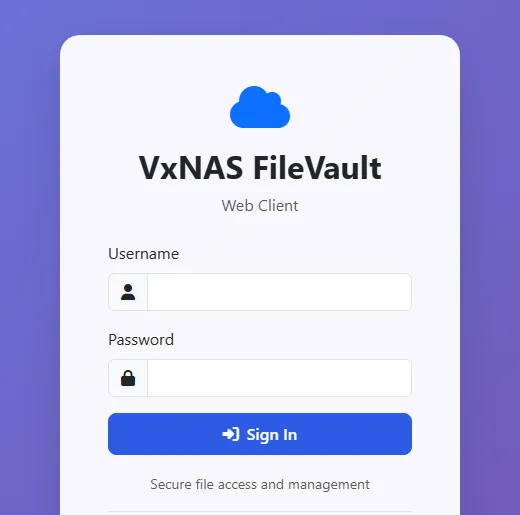
Open the web client, sign in and manage files with thumbnails, upload and download.
Map it with WebDAV in Windows Explorer, macOS Finder or a phone app.
FTP and SFTP for media players, scanners and classic clients.
An MCP interface lets Claude Desktop and similar tools work with your files.
Default ports: 5000 HTTP, 5001 HTTPS, 5021 FTP, 2222 SFTP. All can be changed.
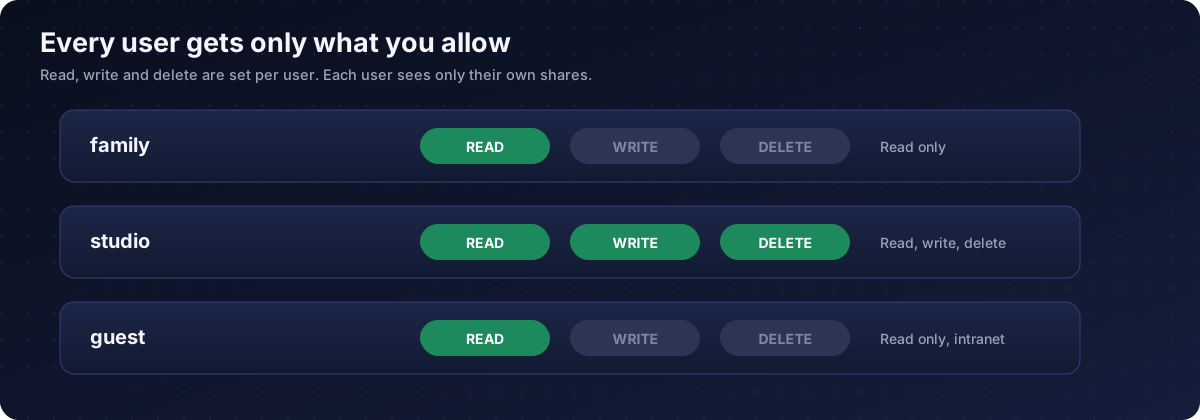
Give family read-only access and keep write access for yourself.
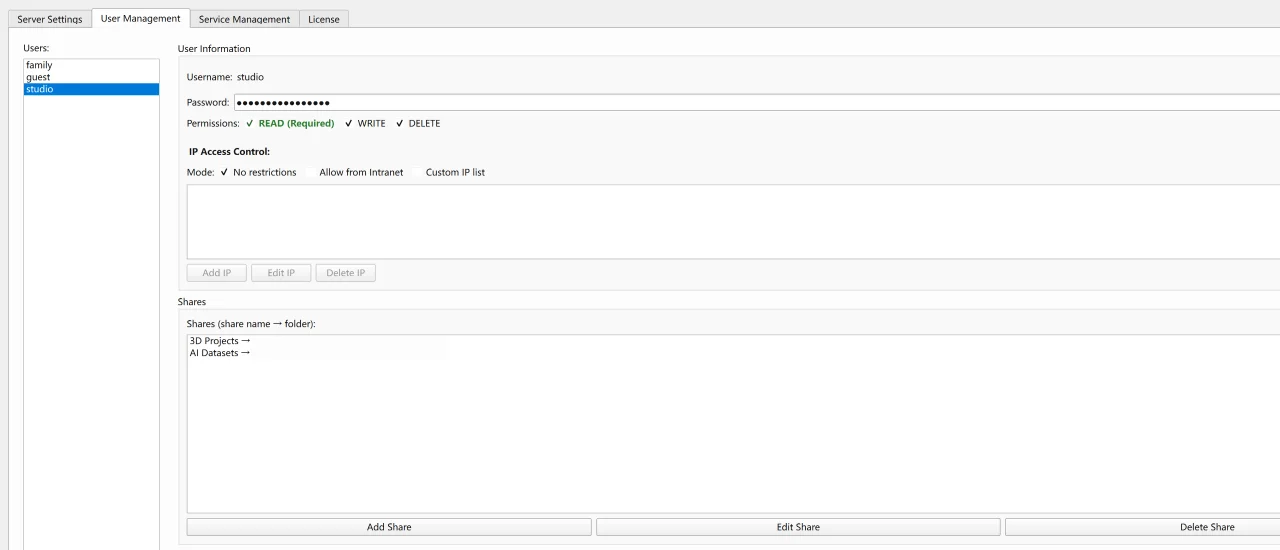
Add an account and set a password.
Map a folder on your PC to a share name for that user.
Read, write and delete are separate. Optionally limit access to your home network.
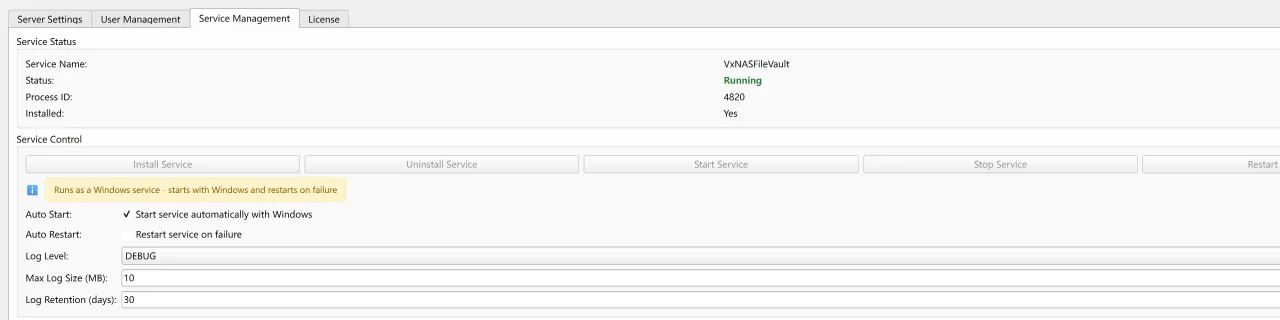
Install the service once and the server starts with Windows, even before anyone signs in.
A server on your PC deserves care. These protections are included.
Read, write and delete per user and per share.
Everywhere, home network only, or a custom list.
Limits, lockouts and rate limits for failed logins.
Requests are kept inside the share, and file names are checked.
Generate a certificate in the app and use encrypted access.
Decide whether executable files may be uploaded.
Change the default password before first use, create a dedicated account for AI assistants, and think twice before exposing any server to the internet. A VPN is the safer way in.
Everything it does, in plain language.
Browse folders, see thumbnails, upload, create folders, rename, delete and download from any browser.
Map the server as a drive in Windows Explorer, macOS Finder and phone apps.
For media players, scanners and classic clients. They reuse the same users and permissions.
Encrypted web access with a certificate the app can generate for you.
Let an AI assistant such as Claude Desktop list, read, write and search files in the shares you allow.
Starts with Windows, restarts on failure, keeps its own logs.
Map any folder to a share name per user. Read, write and delete are set separately.
Allow everywhere, allow only your home network, or use a custom list per user.
Failed-login limits, lockouts and rate limits.
Optional automatic port opening (UPnP) and dynamic DNS with Cloudflare or No-IP.
Connections, traffic and request totals at a glance.
Decide whether executable file types may be uploaded.
A Windows program from Cloud Curry Studio.
Find VxNAS FileVault on the Cloud Curry Studio Patreon page.
Run the program on Windows 10 or 11 and press Start Server.
Browse to the web client, sign in and add your first share.
Captured on Windows. Folder locations are hidden.
A Windows program that turns your PC into a private file server. It serves your folders over a browser interface, WebDAV, FTP and SFTP, with per-user permissions, and can run as a Windows service.
HTTP and HTTPS for the browser client, WebDAV for network drives, FTP and SFTP, and an MCP endpoint for AI assistants. The default ports are 5000 for HTTP, 5001 for HTTPS, 5021 for FTP and 2222 for SSH and SFTP. You can change them.
It is distributed on Patreon by Cloud Curry Studio, as a Windows program.
Windows 10 and Windows 11.
Yes. Install the Windows service in the Service Management tab and enable automatic start. It starts with Windows and can restart itself on failure.
Yes, through WebDAV. Map it in Windows Explorer or use any WebDAV-capable app.
Players that support FTP, SFTP or WebDAV can. Check which protocols your player supports and use the same username and password you set in VxNAS FileVault.
The app offers optional automatic port opening and dynamic DNS. Exposing a server to the internet carries risk, so use strong passwords, HTTPS, narrow permissions and IP rules, or reach your home network through a VPN instead.
Every user has their own shares and separate read, write and delete rights. You can also limit a user to your home network or a custom list of addresses.
It lets an AI assistant such as Claude Desktop browse and manage files in the shares an account can reach. Create a dedicated account with only the permissions the assistant needs.
It includes per-user permissions, path checks that keep access inside each share, filename validation, brute-force protection and HTTPS. Change the default password before first use and keep your configuration private.
That is a setting. Executable file types are controlled by an upload policy switch in the server settings.
VxNAS FileVault for Windows 10 and 11.