← All tutorials
ex-Cloud · Tutorial 4 of 6

Merge duplicate contacts, then tidy up with AI

The same person often ends up saved several times: one copy has the phone number, another the e-mail, and the names differ slightly. This guide shows how to find them, merge safely, and let the assistant suggest clean-ups — none of which happens without your approval.

About 6 minutes · every write needs your confirmation · screenshots use demo data

1Find duplicates

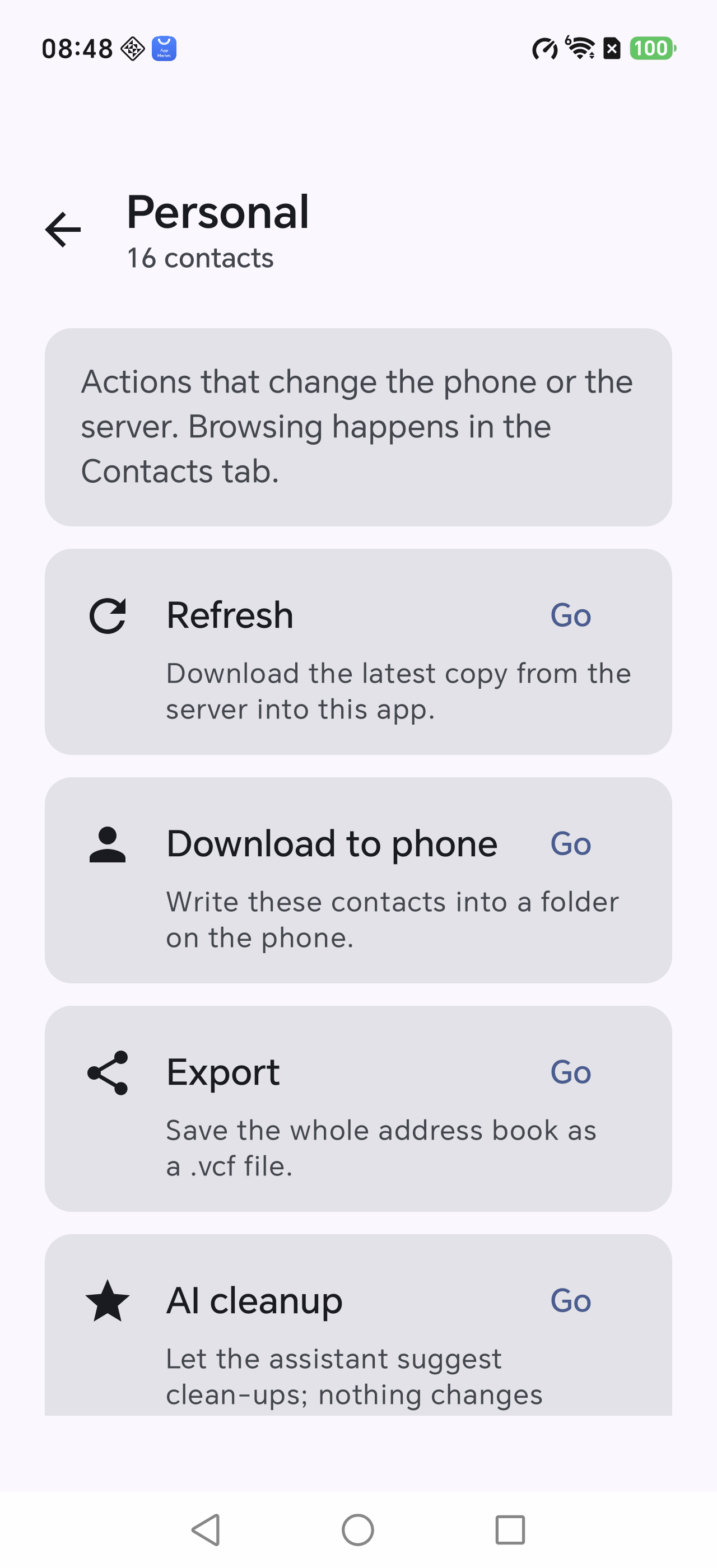
Open Manage in an address book and choose Find duplicates.

The rule is deliberately conservative — only two signals count:

SignalRule
Same phoneDigits only; -, spaces and country code ignored
Same e-mailCase-insensitive, trimmed
Same name onlyNot enough — two different people can be called "Ben"
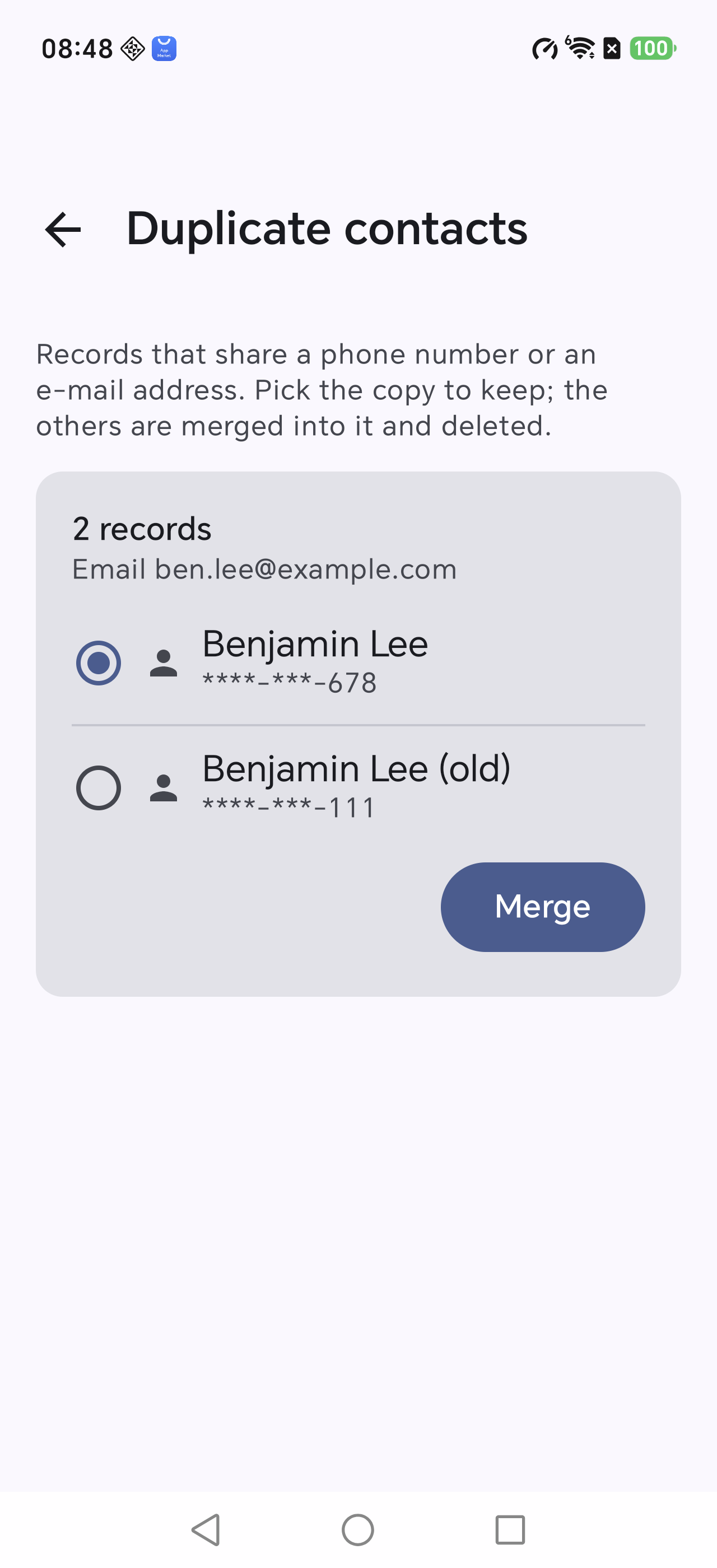
Duplicate contacts
Each group states why its records were linked

2Choose the copy to keep

Every group lists its members with their phone numbers. Pick the one to keep (the first is selected by default).

Pressing Merge opens a confirmation that names exactly:

  • the record that stays
  • the records that will be deleted from the server
Deletion is real. This is the only place in the app that removes data from your cloud — read the list before confirming.
Manage
All data-changing actions live behind Manage

3What merging actually does

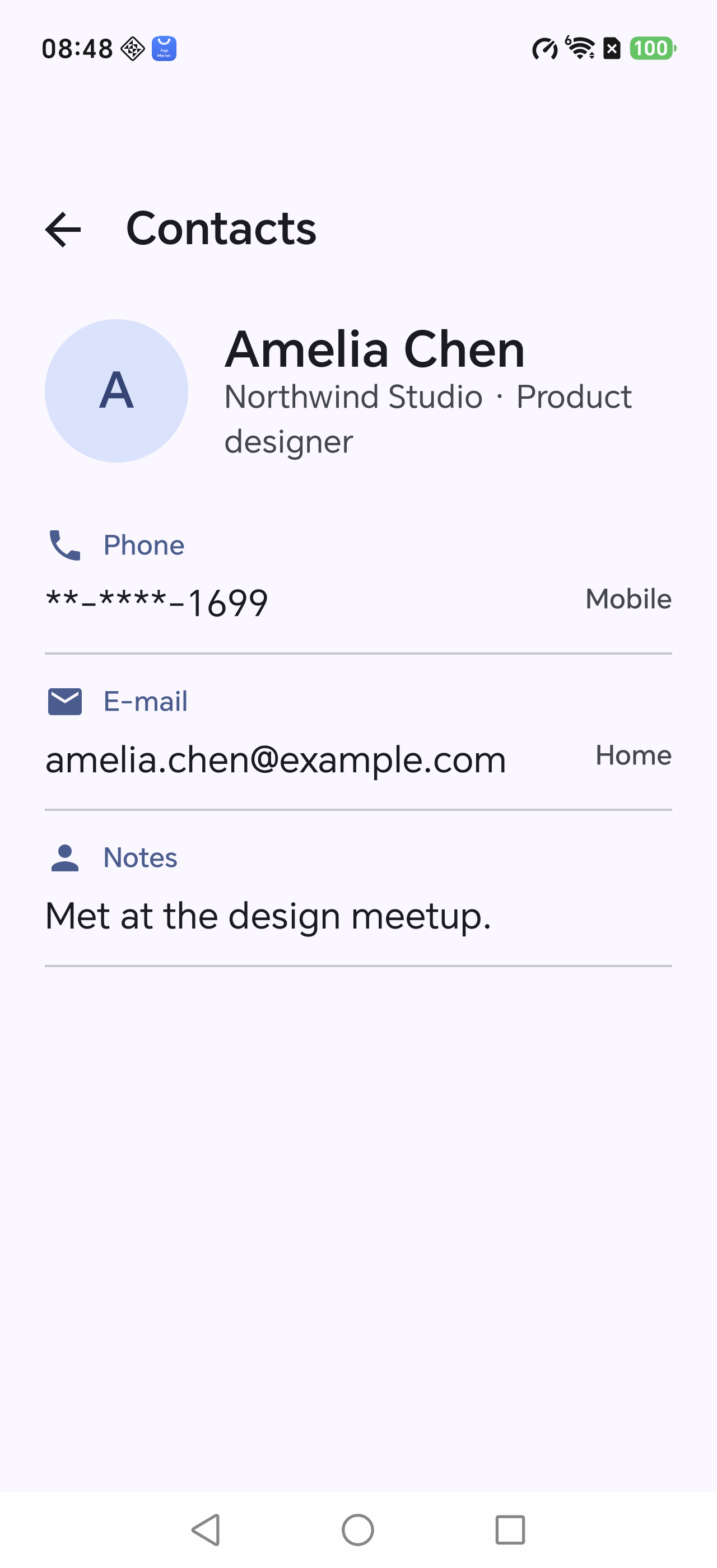
It is not "keep one, throw one away": details that only the other copy had are carried over.

FieldRule
Name, organisation, photoFrom the copy you keep
Phones, e-mails, URLs, addresses, categoriesUnion, kept copy first
NotesJoined, duplicates dropped
Job title, birthdayTaken from another copy only if the kept one is empty

The merged card is uploaded first; only after that succeeds are the others deleted, so a failed upload never leaves you with a deleted contact.

Merged contact
Open the result to confirm every field survived

4AI cleanup: suggestions only

Manage → AI cleanup. Pick a preset task or describe a rule in one sentence (for example "strip the sorting prefix from names").

  • The assistant only suggests; every entry shows a before/after pair.
  • Nothing is written until you tick the entries and approve.
  • Each write re-checks the server version and skips records that changed meanwhile.
Rules that do not need a model (removing sorting prefixes, splitting names) run on the device: free, instant and deterministic.
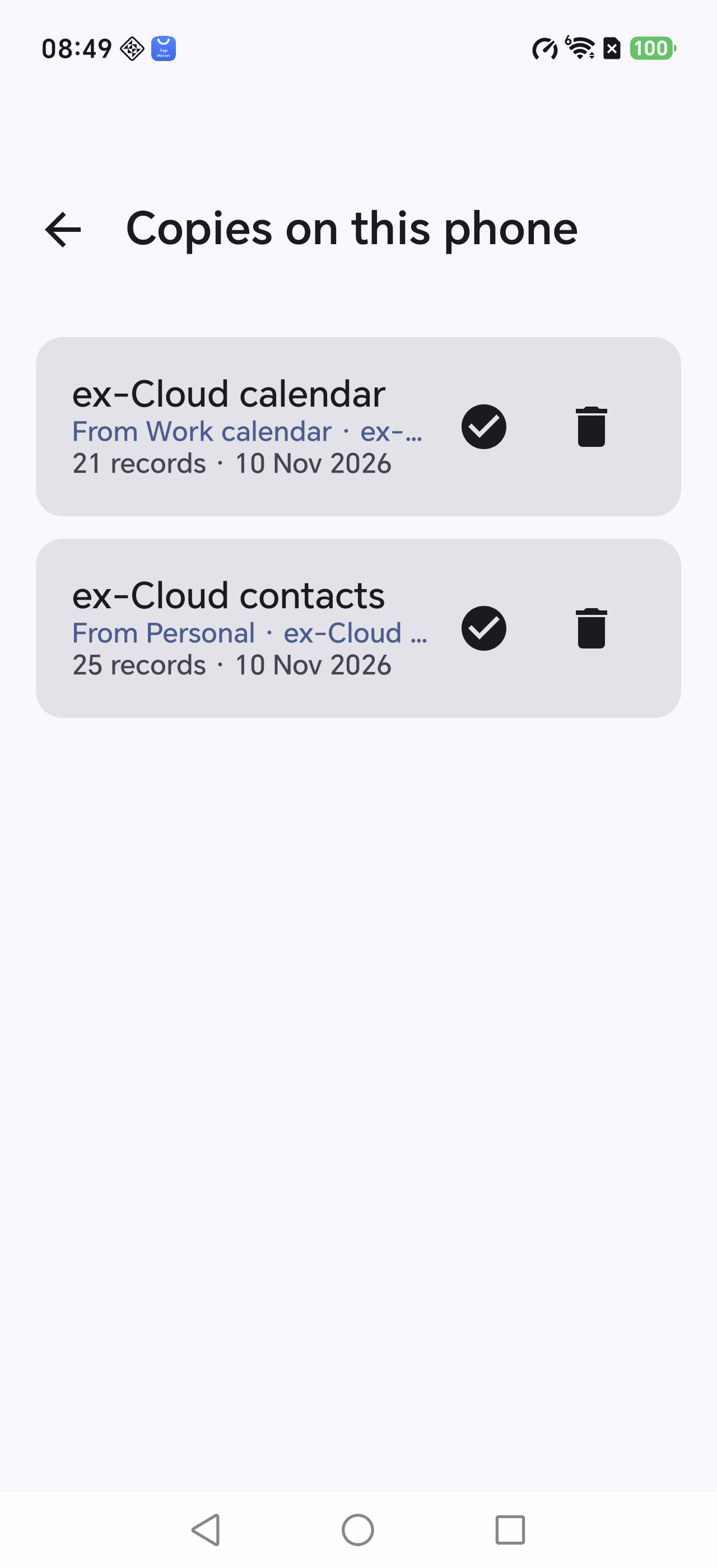
Phone copies
After tidying, download again and verify with the check icon